Tools for your online practice
The way you work doesn't change — Alchely holds it. You add only the tools you actually use, to prepare each session better and stay close to your patient between them. The method, the judgement and the relationship stay yours. In a centre, the centre decides which tools its team has.
Available tools
For running the practice
For how you work
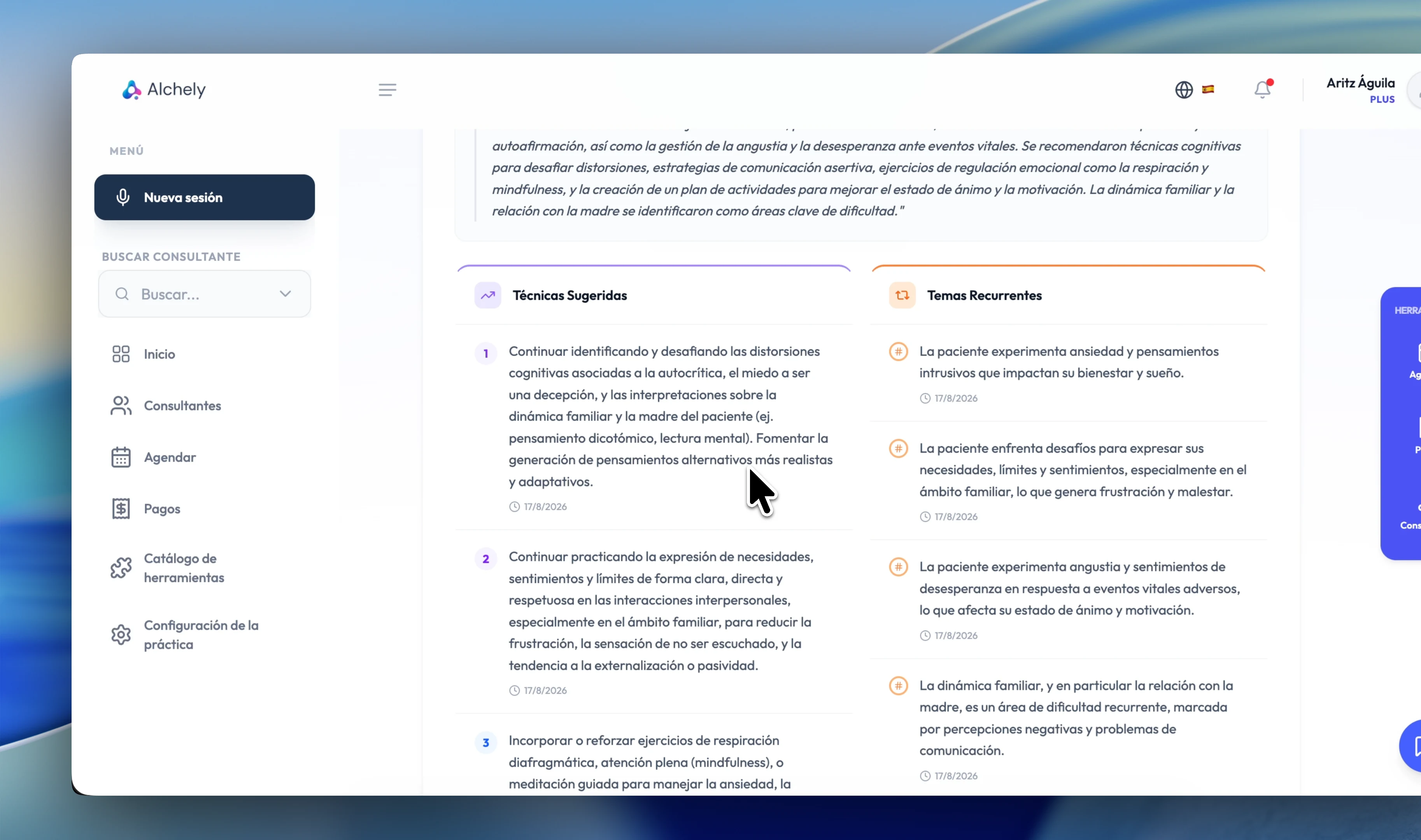
Augmented Memory
Alchely's clinical intelligence layer. It analyses every session, tracks patterns over time and turns what happens in the room into something you can work with — without re-reading months of notes.
- Session analysis: summary, key themes and therapeutic focus
- Clinical alerts detected from session content
- Patient recommendations and suggested exercises
- Therapeutic plan analysis and progress over time
- Session insights, with longitudinal pattern detection
- Alchely chat: ask about a patient and get what you need from their sessions instantly
- AI-usage consent built into the agreements flow; in a couples or group session, every member's
Scheduler
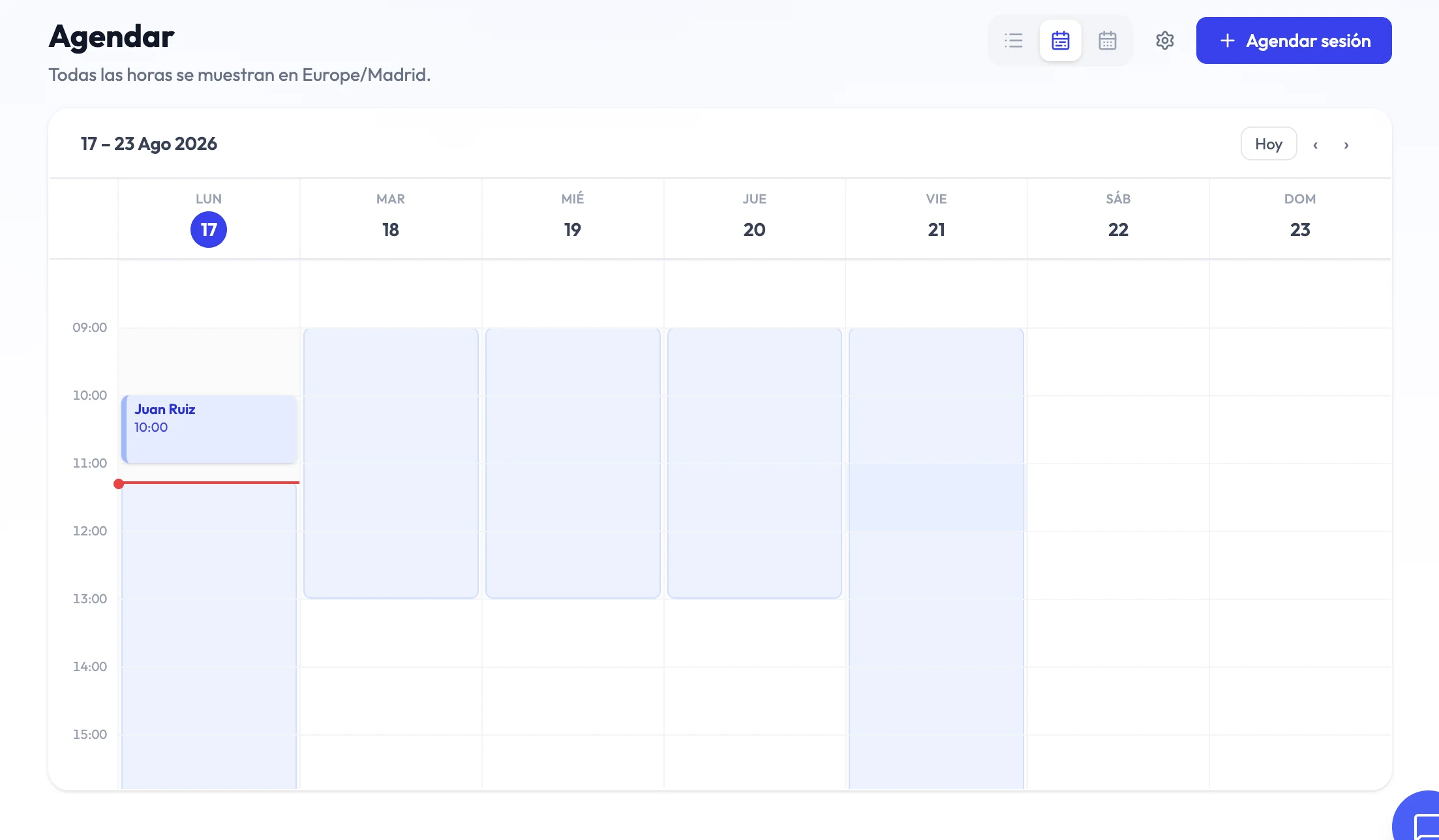
Your agenda inside Alchely. Publish your availability, book sessions, and let patients book themselves from their portal — no more closing slots over WhatsApp.
- Weekly availability windows in your own timezone, DST-correct
- Book, reschedule and cancel future sessions
- Online sessions with a Zoom, Google Meet or Microsoft Teams (beta) link generated automatically
- In-person sessions tied to your saved physical spaces
- Google Calendar sync, or an .ics invite by email as fallback
- Confirmation, reschedule, cancellation and reminder notices for patient and therapist, by email or WhatsApp
- Every email is written in its reader's own timezone, and adds the other person's hour where the two differ
- Patient self-booking from the portal, over your free slots
- Individual, couples or group sessions: in a group one, each member gets their own email and invitation without seeing who else is coming
AlchelyMeeting
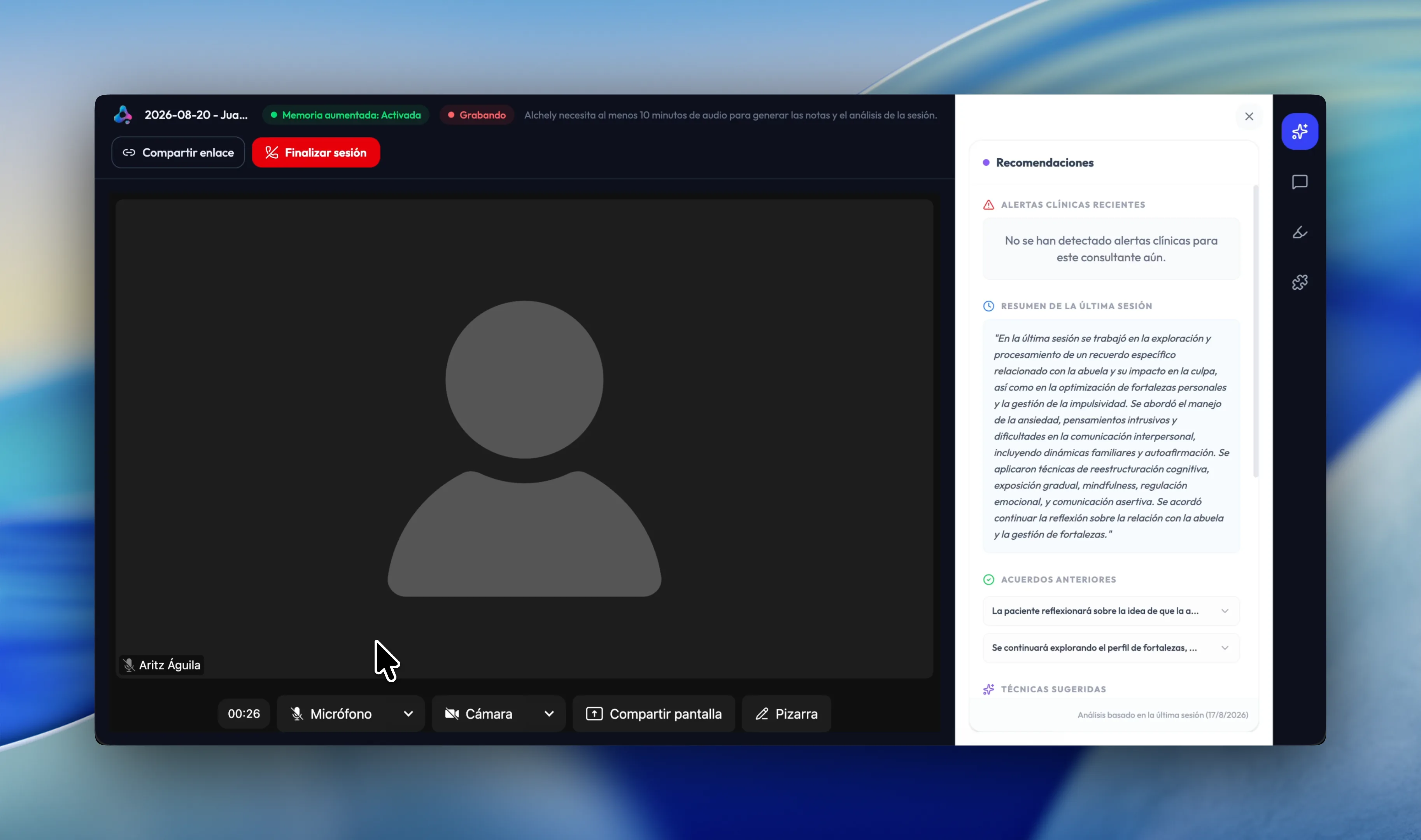
Your online sessions inside Alchely, without opening another app. Start a room on the spot or from a scheduled session, and your patient joins from their portal or with the link you send — nothing to install, no account to create.
- A video room with camera, microphone, background blur and chat, in your language
- A singing bowl that sounds in both rooms: one press, or timed to open, wait and close, with the countdown in view for both of you
- Screen sharing with its sound, or a tab's sound alone without the picture
- Three views to choose from, each of you picking your own without changing theirs
- The patient joins from their portal, or with an invitation link
- The room is tied to the session: the call and the record in the same place
- A shared whiteboard during the call: you both draw on it and, once saved, the image stays in the session details
- Recommendations, chat, highlights and tools in a panel beside the call
- Optional recording that feeds the session analysis with Augmented Memory
- Group sessions in the same room, with a link of their own for each member
- Recording only starts if the patient has given their AI consent — in a couple or a group, if every one of them has
- Free while in preview; 5 €/month afterwards, with notice first
Payments
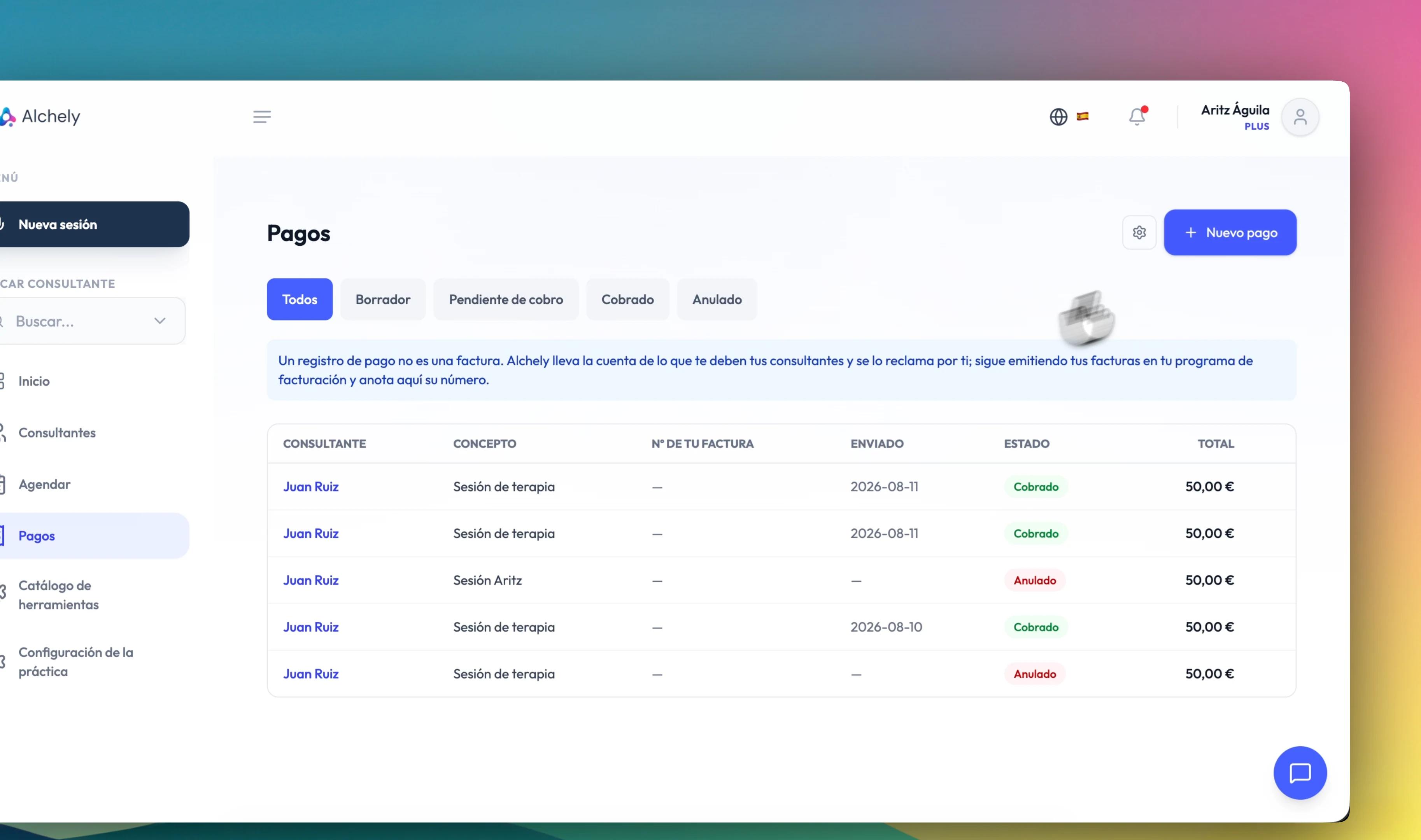
Keeping track of who owes you what. You record the charge from the session itself, see at a glance what is still unpaid, and Alchely chases it for you. It does not issue invoices: you keep doing that in your own billing software, and note the reference here.
- A charge created from the session, with line items, quantity and price
- Clear states: draft, pending, paid and cancelled
- Automatic reminders at 3, 7 and 14 days past the due date, three at most
- Requests and reminders by email, WhatsApp or both; WhatsApp only to patients who accept it in their portal
- Online payment through your own Stripe account: the money goes straight to you, with no commission from Alchely
- Bank transfer, Bizum or cash: you mark it paid by hand
- A default line for your usual fee, and their payments visible in the patient portal
- In a centre, its patients are charged through the centre's Stripe account; your own, through yours
Constellation
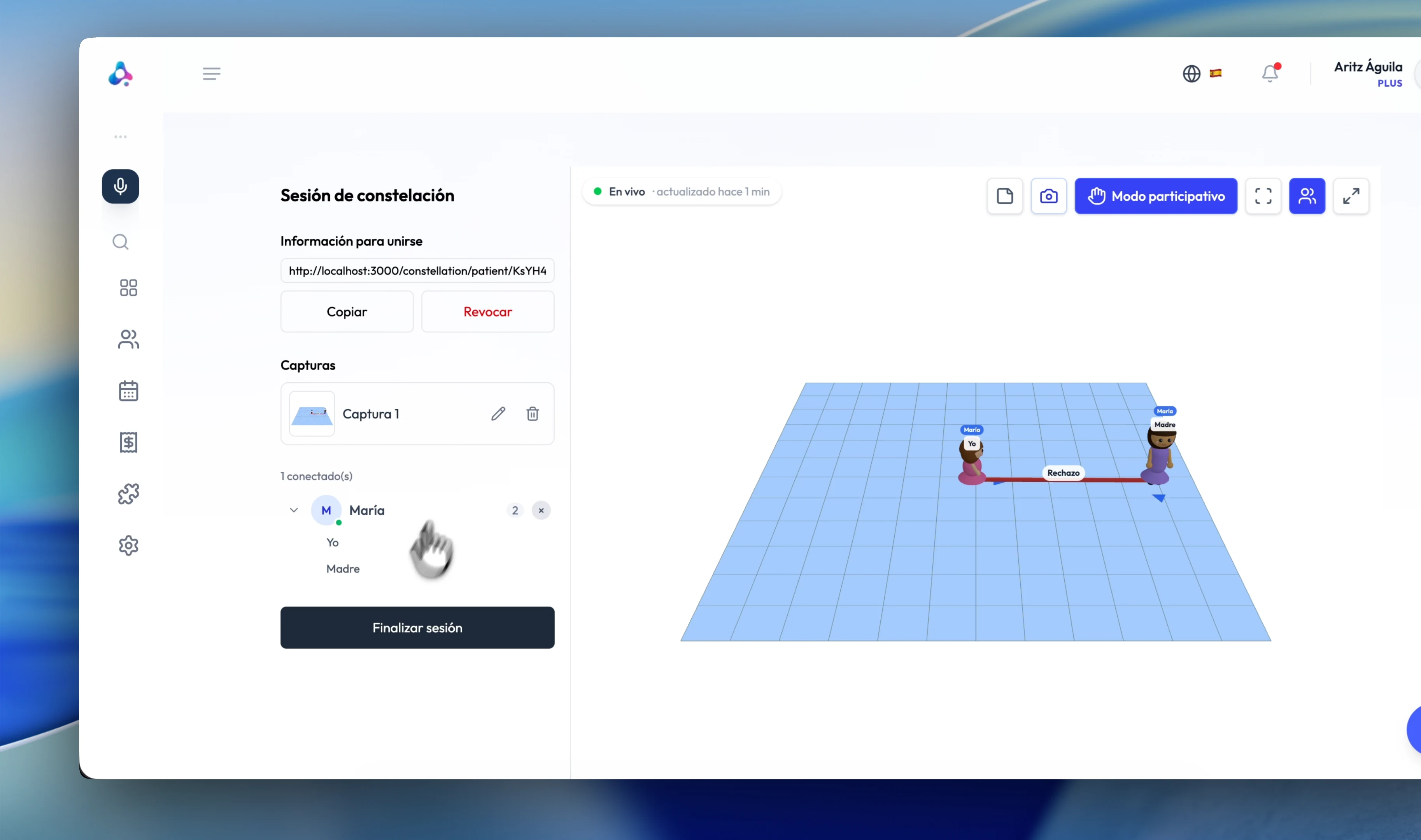
Systemic and family constellations in a shared 3D space, inside the online session. The patient joins with a one-time link: no account, nothing to install.
- A 3D working table where the system is represented
- Named figures with face, build and clothing, each with position and facing
- Real-time sync between therapist and patient
- Patient access through a one-time link, no sign-up
- Field snapshots and notes saved into the session record
- Individual, couple, group and open boards
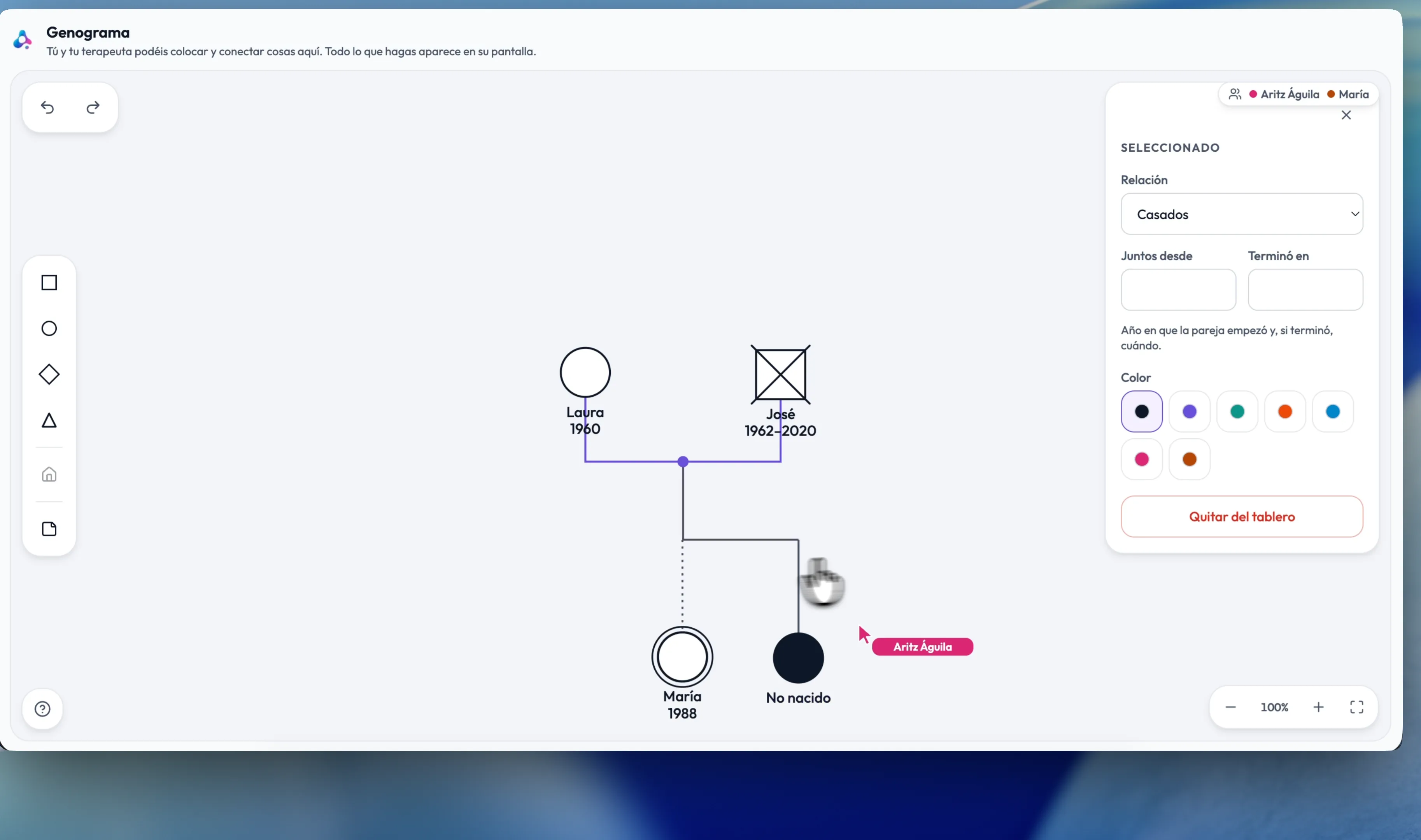
Genogram & Ecomap
The two instruments systemic work runs on, on one shared board. The genogram maps three or more generations with the standard notation; the ecomap places the patient at the centre and draws the systems around them. Your patient holds the same tools you do and you build it together, in the room or over a link.
- Three or more generations in standard notation, after McGoldrick, Gerson and Petry
- Unions with their years, filiation — adoption, fostering, twins, pregnancy losses — and households drawn around whoever lives together
- The full emotional layer: closeness, fusion, distance, conflict, cutoff, break, neglect and abuse
- Hartman's ecomap: the centre, each system at its own size, and each tie carrying its strength and the direction energy runs in
- A real-time board: the patient joins with a link, no account and nothing to install, and draws alongside you
- A drawn legend, a colour per element, notes signed by whoever wrote them, and undo and redo
- Maps for one patient, a couple or a group, and an open board for several people
- Board images filed with the map, and the map visible in the patient's portal once you open it to them; a group's map is never shared
- It opens from the tool dock — on your home screen, on the patient's page or from a session — and picks up where you left it last time
Meditation & Visualisation
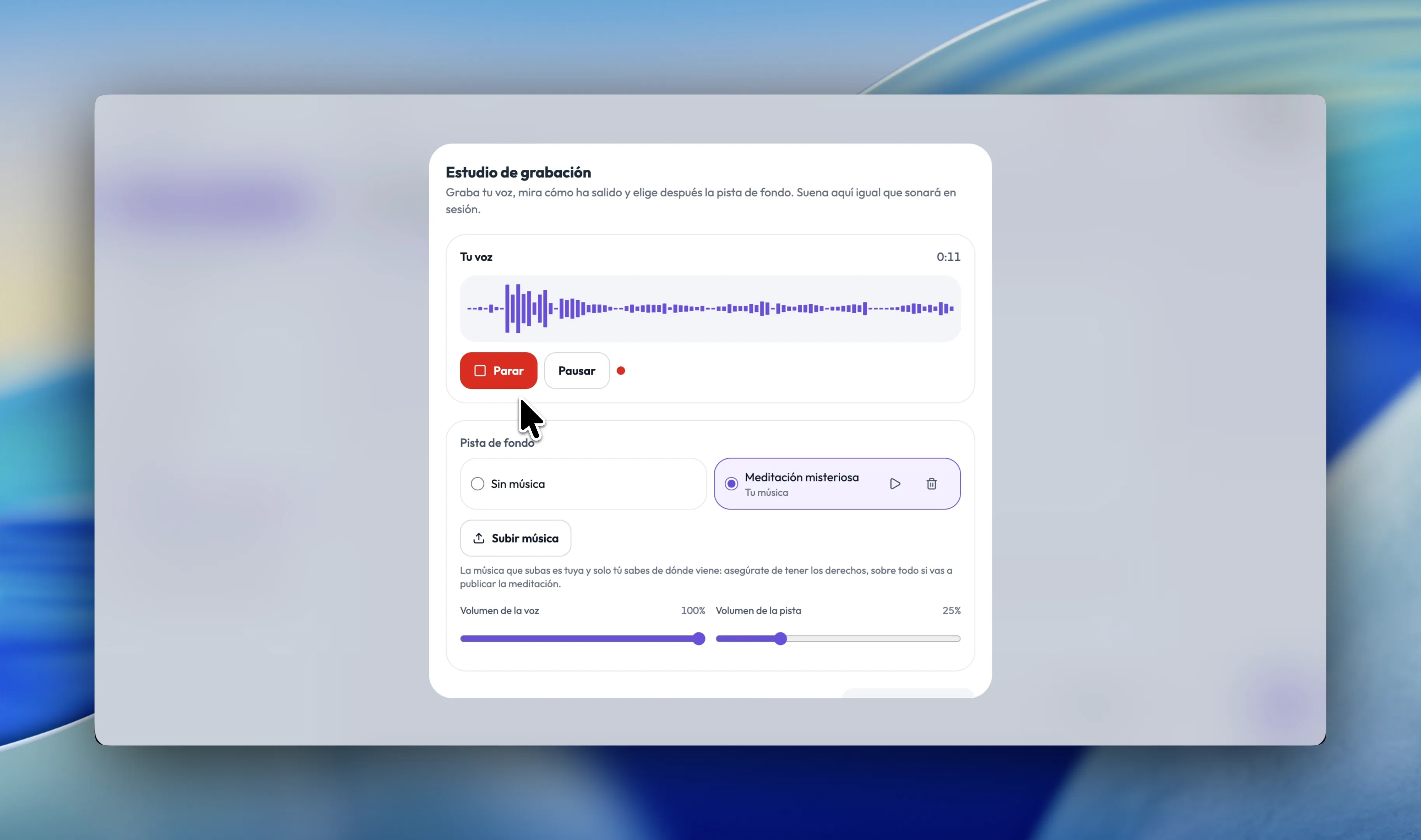
Write the meditation or the visualisation, or record it in your own voice over a background track. In session it plays once for both of you while the script scrolls on your screen as a teleprompter.
- A script typed or dictated aloud, at the reading pace you set, anywhere between 40 and 160 words per minute
- Silences written into the script itself —
[10s],[2m]— held and counted down by the prompter, and a[gong]that sounds the room's singing bowl for both of you - A recording studio in the browser: your voice over the bed, mixed as you make it, with each level set on its own
- The music: yours, uploaded once to your own shelf and available under all of them, or what other therapists — or your centre — have shared. Or silence
- A teleprompter in session: the paragraph you are on marked, the ones around it still readable, and the text at whatever size you pick
- The audio is published into the call: one playback for both of you, and no screen sharing
- Your patient is only told it has begun, and the notice goes after ten seconds. No script, no controls, no countdown
- Your catalogue, filtered by therapy, by presenting problem, by language and by whether it is a script, a recording or both, with your own length estimate beside the prompter's
- A public catalogue: publish under your name and your licence, or copy another therapist's and edit your copy
- Share it with the patients, couples or groups you choose and they practise between sessions from their portal, read-only
EMDR
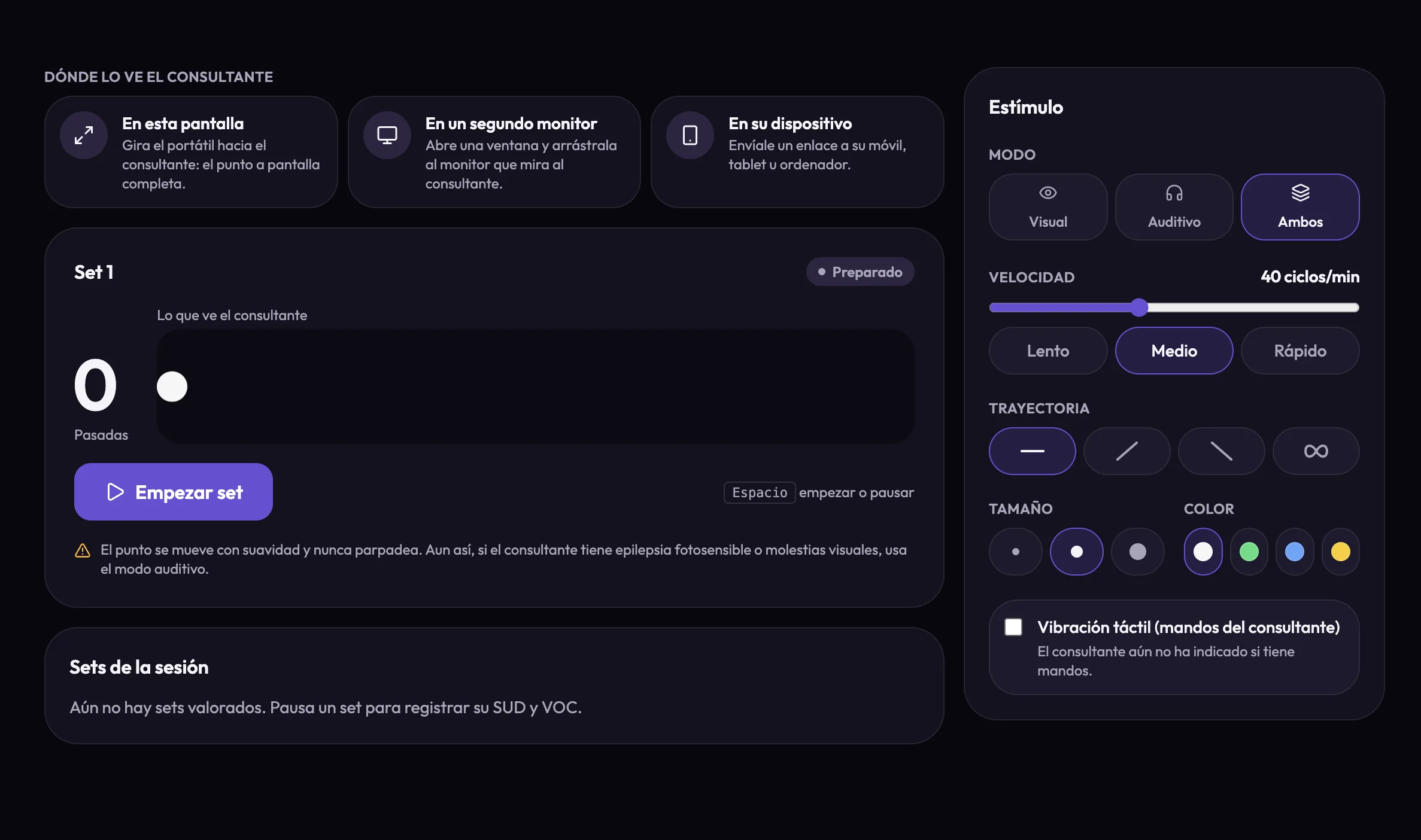
Bilateral stimulation for EMDR, in an AlchelyMeeting call or in the consulting room. The dot and the tones are produced on the patient's own screen, and the SUD and VOC of every set go into the session.
- Visual, auditory or both: a dot on a horizontal, diagonal or infinity path, and a tone in each ear as it reaches each edge
- Speed between 20 and 70 cycles a minute, with slow, medium and fast presets, and the dot's size and colour
- Tactile too: the patient's game controllers pulse on the same beat, one in each hand or alternating the motors of one
- In a call, the stimulus is drawn on your patient's device rather than screen-shared, and you keep their face in view
- In person, a board of its own: on your screen turned to the patient, on a second monitor, or on their phone by link — no account, camera or microphone
- Your patient can stop it at any moment, with a button or the Escape key, and you are told
- SUD (0–10) and VOC (1–7) for every set, with a short note, and the session's SUD and VOC charts in its EMDR tab
- The EMDR 8 phases note template, and with Augmented Memory the AI note takes the SUD and VOC from your sets
- No flashing, ever: smooth motion, a speed ceiling and a photosensitivity notice
- In beta, and included in Plus at no extra cost
Future tools
What we're building next for the marketplace. If one of these matters to your practice, tell us.
IFS
Parts work (Internal Family Systems) following the model's own rhythm, not a generic template.
Coming soonForms and tests
Validated scales ready to administer — PHQ-9, GAD-7, BDI-II, DASS-21, STAI, WHO-5, PCL-5 — plus your own custom tests and forms, sent to the patient from their portal with results landing in their file.
Coming soon