Payments for your therapy practice
You record the charge from the session itself, see at a glance what is still unpaid, and Alchely chases it for you by email or WhatsApp. Connect your Stripe account and your patient can pay you online too.
Payment tracking
Knowing who owes you what, having the patient find out without you having to remind them, and getting paid without switching apps. The tax paperwork stays where you already keep it.
Alchely issues no invoices, and that is deliberate: under Ley 11/2021 and RD 1007/2023 ("Verifactu"), a system that issues numbered documents is a billing system, with everything that entails. You keep invoicing in your usual software and note the reference here — the two stay tied together without you changing systems.
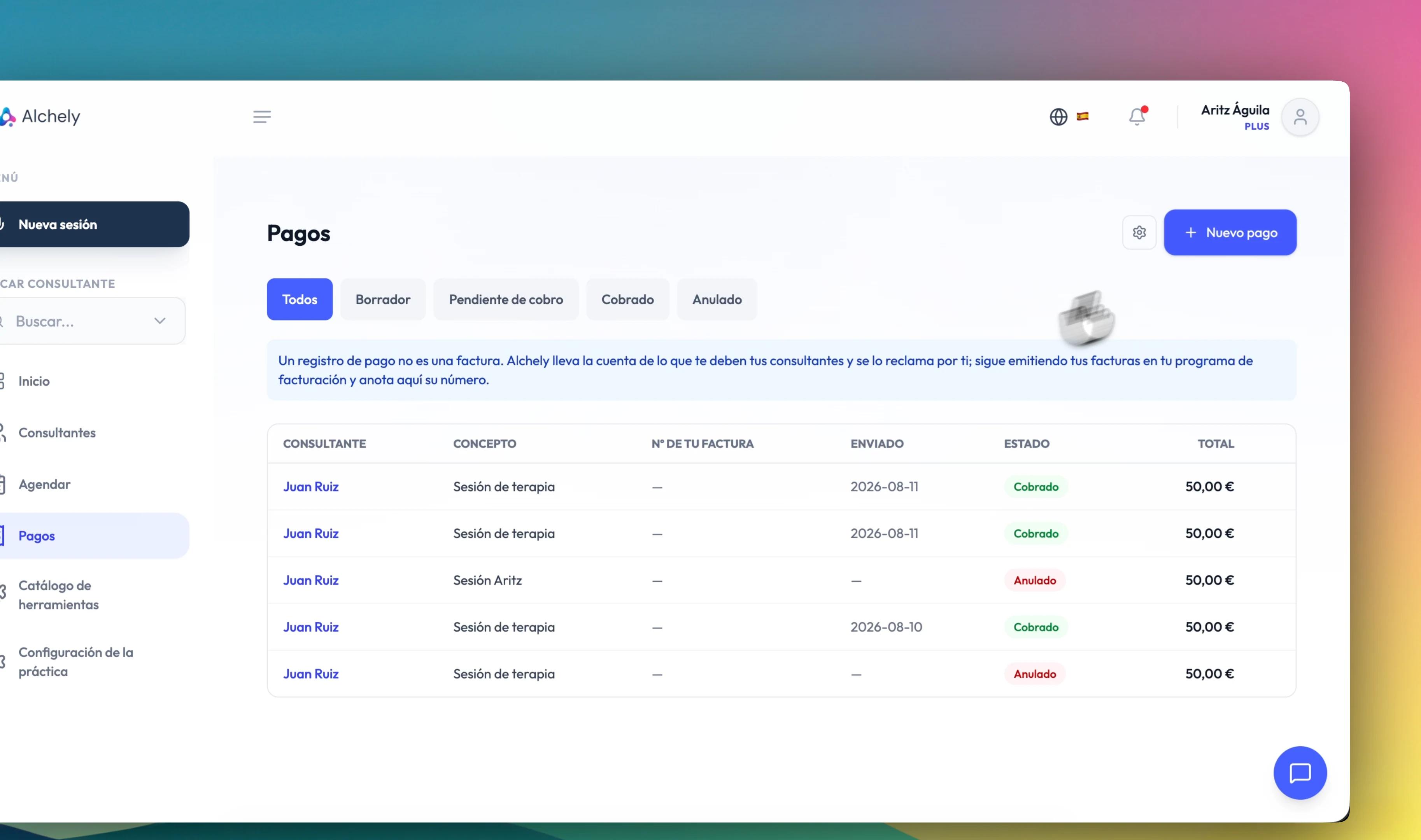
From draft to paid
You create the charge from the session — the patient is already filled in — or from scratch. It stays a draft, which only you can see, until you decide to send it.
- Line items with a description, quantity and price
- A default line for your usual fee, so you do not retype it every time
- Four states: draft, pending, paid and cancelled
- A sent charge is not editable: if you got it wrong, cancel it and create another
- Your own invoice number can be noted at any point, even after it is paid
Let Alchely chase it
Asking a patient for money is uncomfortable, and it ends up postponed until tomorrow.
At 3, 7 and 14 days
Counted from the due date, or from the send date if you set none. Three reminders at most: after that the follow-up is yours.
Email, WhatsApp or both
You choose the channel for the request and for the reminders. For privacy, WhatsApp only reaches patients who have accepted it in their portal; everyone else, and anyone WhatsApp cannot reach, gets the email.
Never on something already paid
Chasing a payment that already arrived is the worst thing this feature could do, so it is blocked in several places at once. And one a day at most.
You see what went out, and how
How many reminders were sent, when the last one was, and through which channel. Without that, an "I never got anything" cannot be investigated.
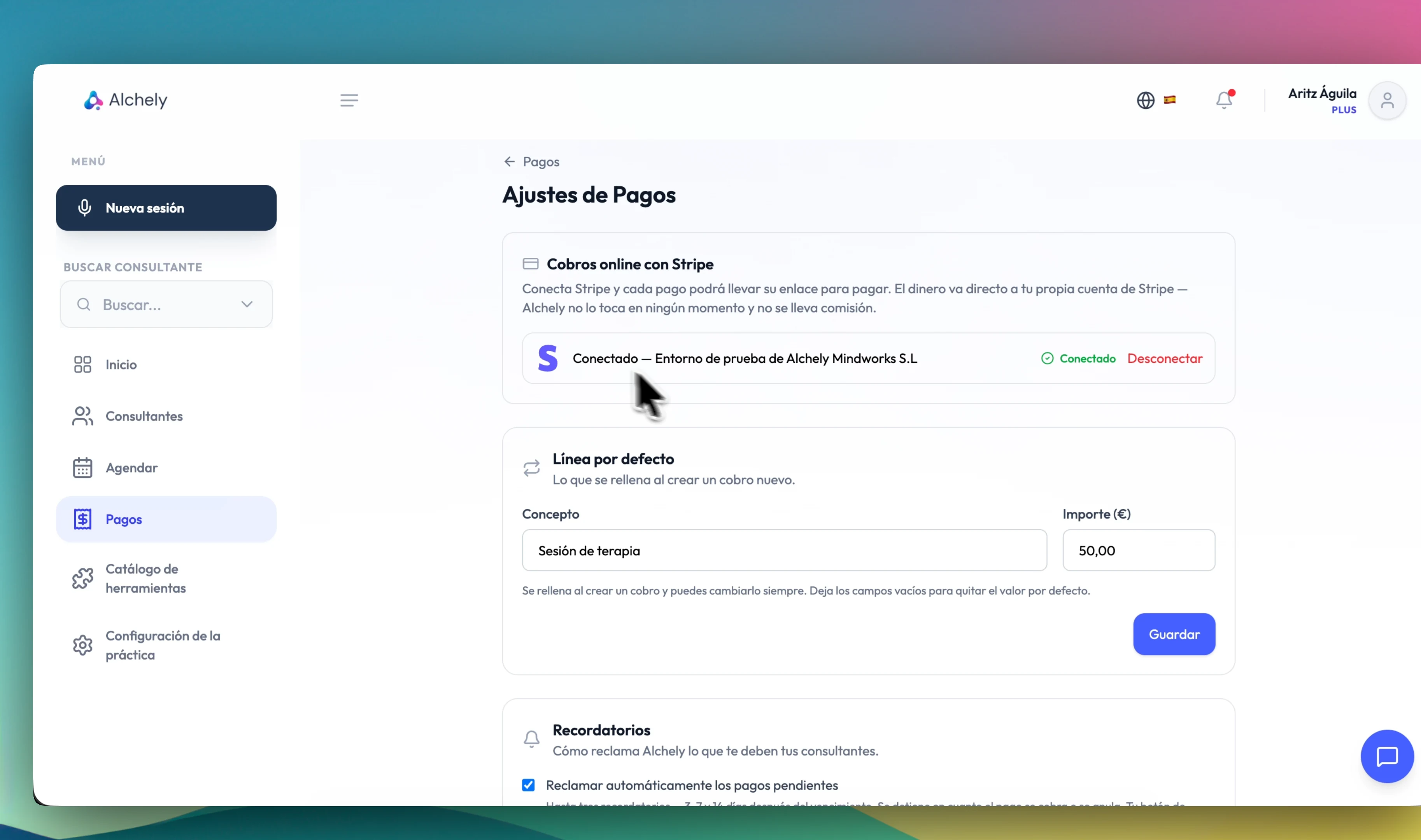
Get paid online, if you want to
Stripe is optional. Without it the tool works in full: you record the charge, send it, the reminders go out, and you mark it paid when the transfer arrives.
- You connect your own Stripe account, not one of Alchely's
- The money goes from your patient straight to you — Alchely takes no commission, never touches the money and never sees the card number
- Every charge can carry its own payment link
- Bank transfer, Bizum, cash or card terminal: you mark it paid by hand
- Disconnect from the Stripe dashboard and Alchely finds out anyway, and drops the link
- In a centre, the centre's patients are charged through the centre's Stripe account, with its defaults and its reminders; your own patients stay on yours. If the centre has not connected Stripe, its charges go out without a payment link: they are never routed to your personal account
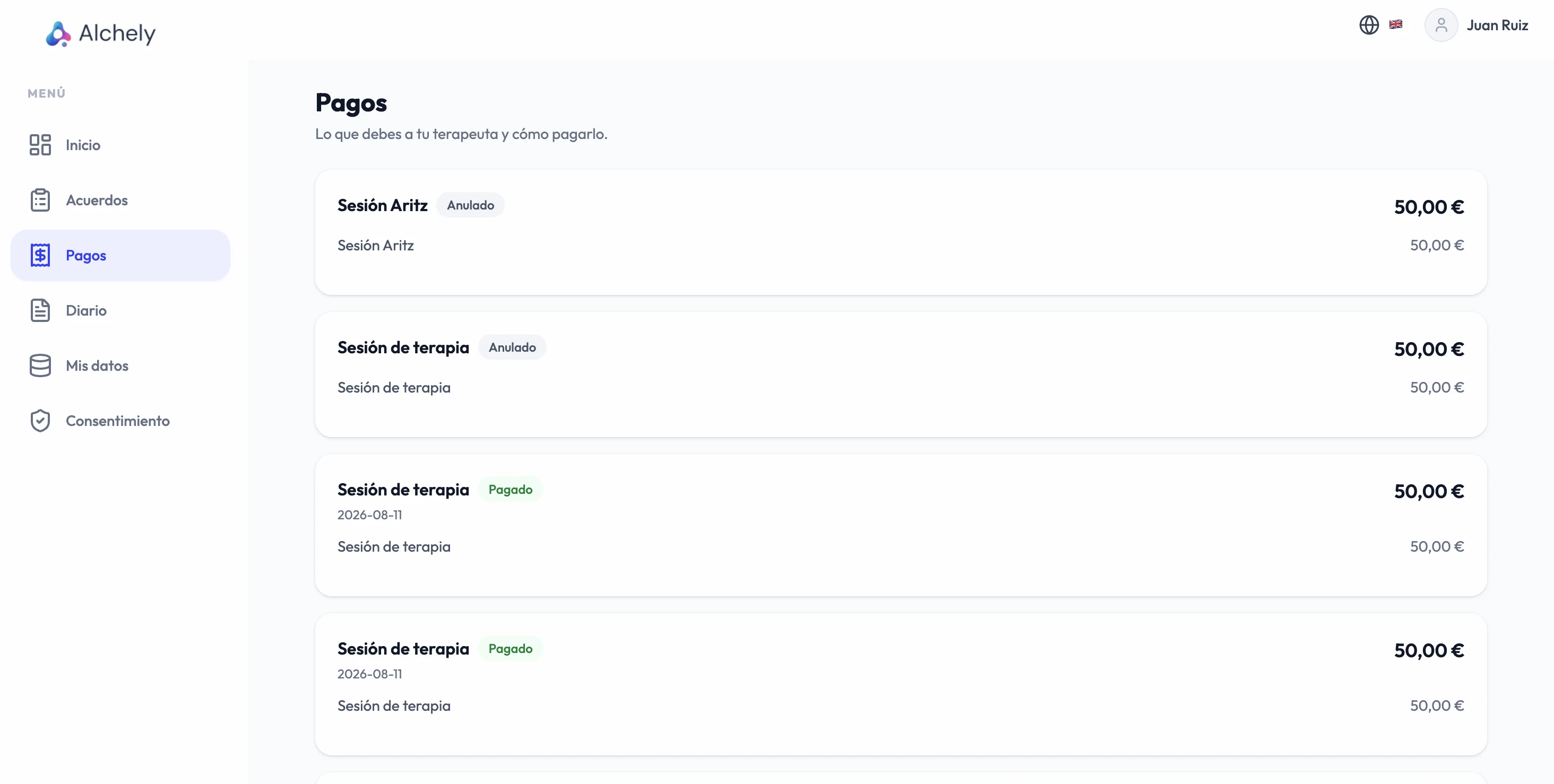
What your patient sees
Their portal only shows the payments section if you have adopted the tool: managing charges here is your decision, and the portal reflects it.
- Their pending, paid and cancelled payments — not the drafts, those are yours
- The pay button, only while the charge is still pending
- No downloadable document: the invoice is something you issue from your own software
- Stripe only receives the amount, the currency and a description: no patient data
Runs on the same platform as everything else
The charge comes out of the session you already have on record — nothing to export, no separate spreadsheet to reconcile at the end of the month.
Add it to your practice See all the tools