Your patients,
active participants in their own healing
The patient portal gives your clients a space to engage meaningfully between sessions — tracking their progress, reviewing agreements, and building self-awareness through their own words. And if you turn on Scheduler, they book their next appointment there too: they see your free slots, confirm or move the time, and get the reminder — by email or, if they turn it on, on WhatsApp — and the meeting link without messaging you to sort out schedules.
From invitation to first login
The portal doesn't open by itself: you open it, when the therapeutic moment calls for it. From then on, the account is theirs.
You send the invitation
From the patient's file, whenever you judge it right. They get an email with a link valid for seven days; if it expires, you send it again.
They set up access
They open the link, see their email address and choose a password. Their account is their own and separate from yours: it opens their portal, never your dashboard.
They sign the consent
Before seeing anything, they go through the consent screen — they read it to the end and sign it by drawing their signature on screen. The version, the date and where they signed from are all recorded.
They step into their space
Inside they find their sessions, the agreements you've published, their diary, their consent and the download of their own data.
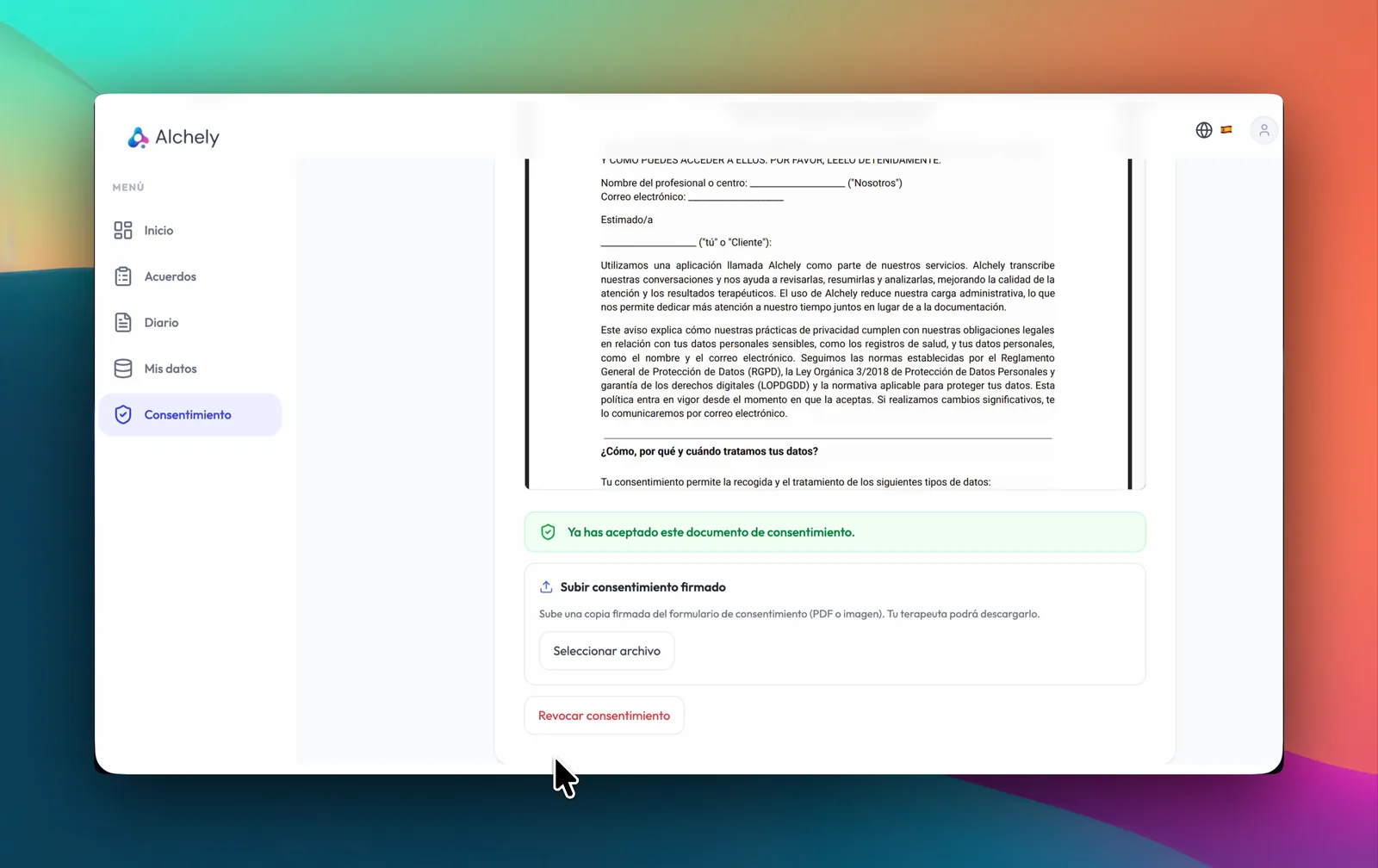
Consent Management
Simplify the administrative side of therapy. Patients read the consent document with their details already filled in and sign it by hand in the portal, leaving a signed copy that both of you can download.
-
Handwritten signature
They draw their signature with a finger or the mouse, and it lands on a PDF of the exact text they read — no printing, scanning or manual filing. If they prefer not to draw, they can still accept it, or upload a copy signed on paper.
-
Evidence that holds up
Each signed copy carries its date and time, the IP and browser it was signed from, the document version and a SHA-256 fingerprint of the text. Every copy is kept, even after they revoke, and goes only if they ask for erasure.
Agreements
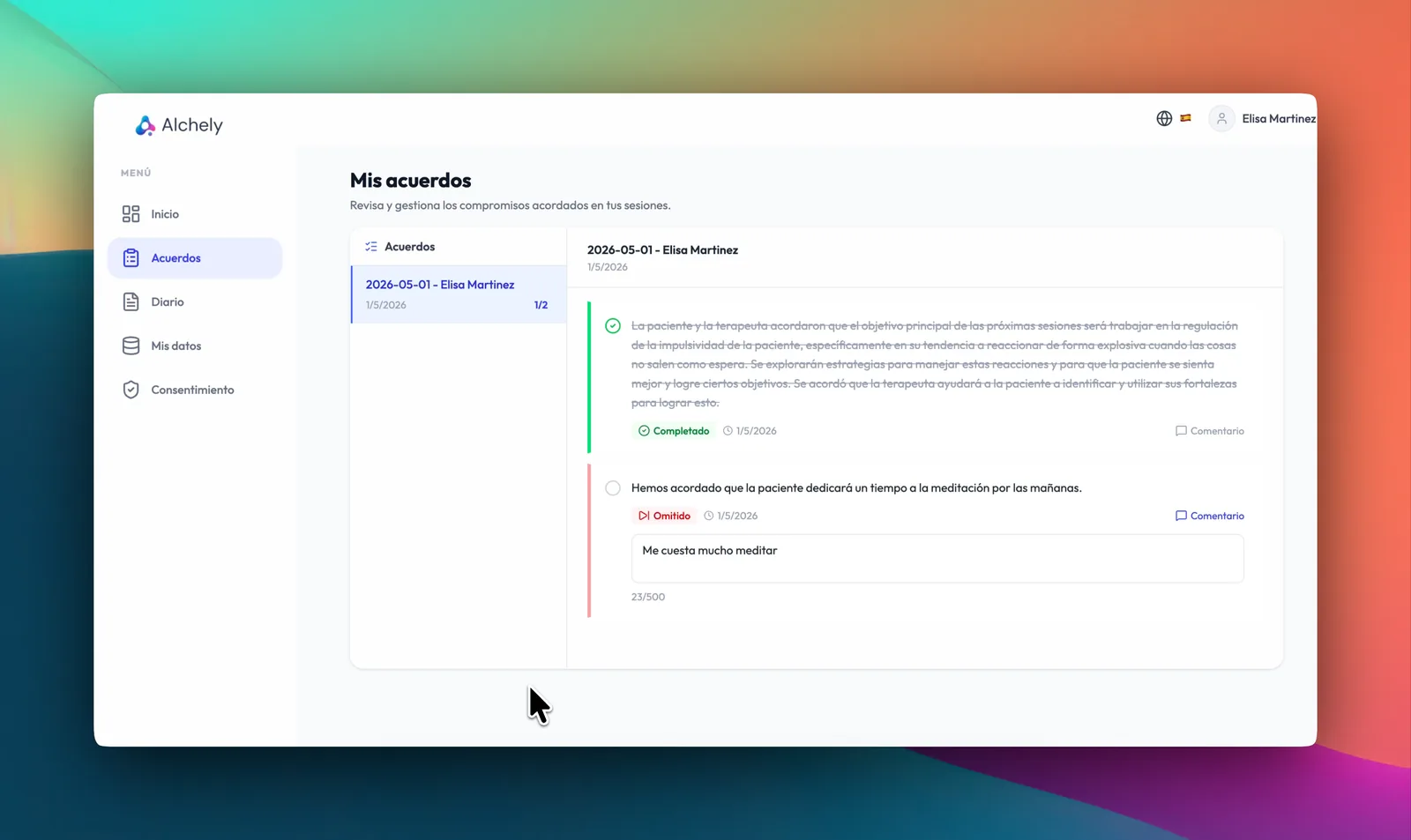
Keep patients engaged and accountable between sessions. Therapeutic agreements — tasks, commitments, and goals set during the session — are visible to patients so they can follow through with intention.
-
Between-session tasks
Each agreement is marked completed, partial or skipped, and the patient can leave a comment on how it went.
-
Progress visibility
You decide what gets published: while an agreement is a draft it never appears in their portal, and their answers come back attached to the session.
Diary
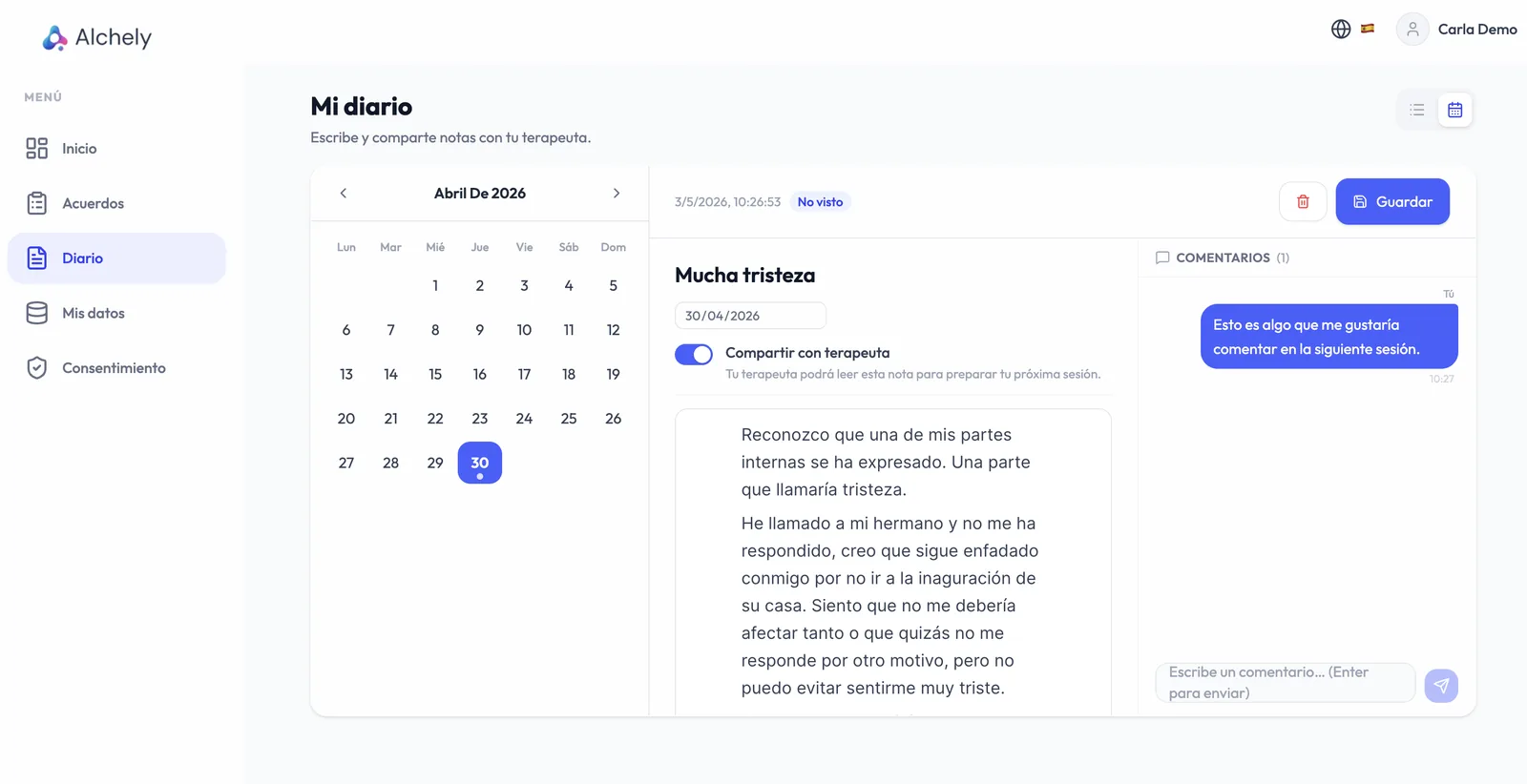
Give your patients a private space to capture thoughts, emotions, and reflections between sessions. Diary entries deepen self-awareness and, when the patient decides, can be shared with the therapist to enrich the next consultation.
-
Free writing
They write whenever they want, with no imposed structure, up to 5,000 characters per entry — and they can delete any of their own.
-
Share to prepare the session
The patient chooses what to share with you; what they share arrives flagged as unread, so you reach the session knowing how their week went.
Booking their appointment
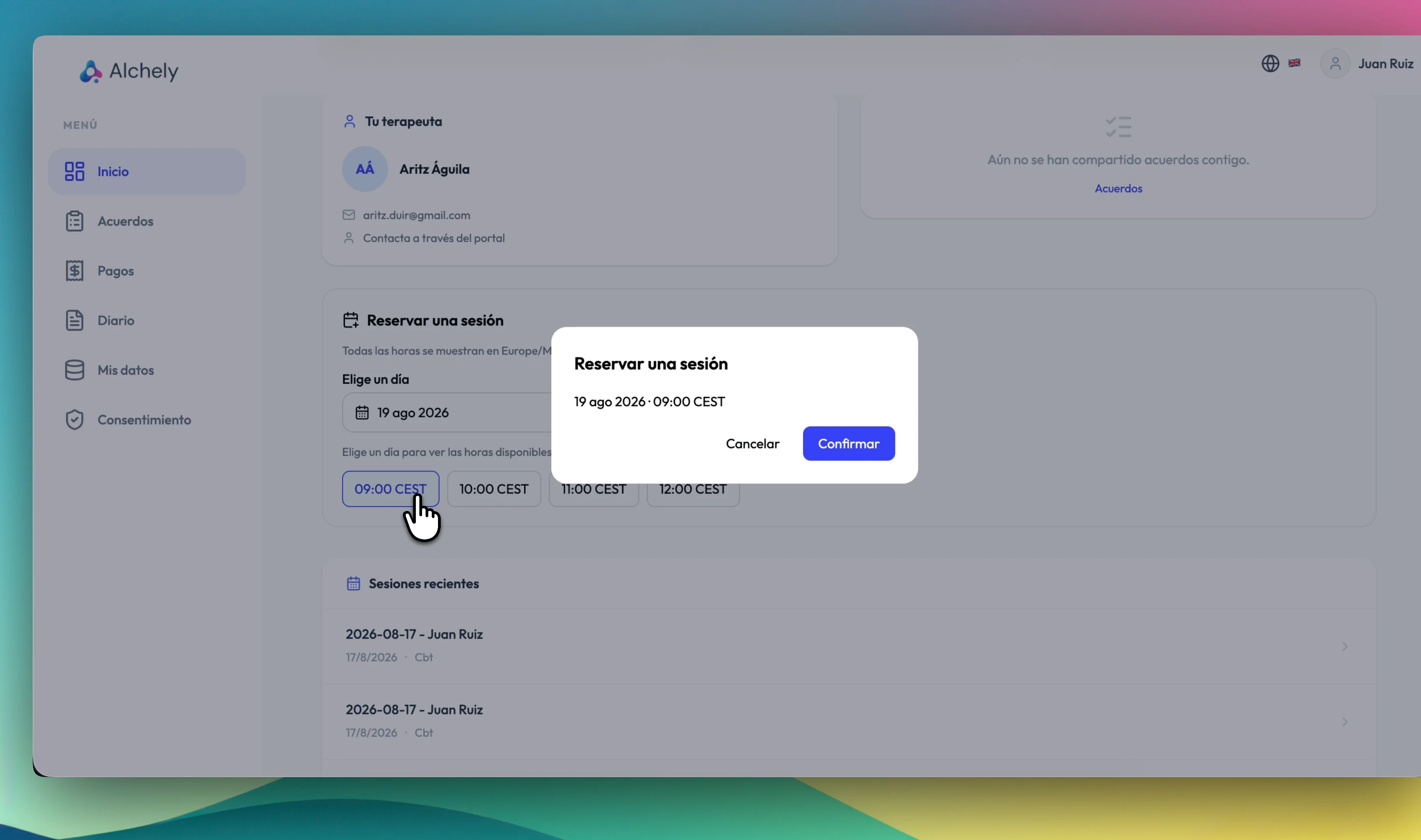
With Scheduler switched on, the portal stops being only a follow-up space: it's also where your patient locks in their next session, on the slots you've published.
-
They see your real openings
Only the windows you've opened and that are still free, in your timezone. No proposing hours that no longer exist.
-
Booking in two steps
The patient picks a day and a time and confirms, without a chain of messages in between. Moving or cancelling an appointment, and booking a couple or group session, stay with you.
-
Confirmation and link, automatic
They get the confirmation email with the appointment and, if it's online, the Zoom, Google Meet or Teams link already generated.
-
And on your calendar
The booking lands in your Alchely schedule and is written to your Google Calendar, so your day stays in one place.
Less friction
What your patient sees — and what they don't
The portal shares the process, not the clinical record. That boundary lives in the system itself, not in your day-to-day judgement.
Only date and title of each session
Your clinical notes, the session analysis, the alerts and the recommendations never leave the therapist dashboard. The patient sees that the session happened, not what you wrote about it. For a group session, not even the title: when it is and how to join, without learning who else attends.
Consent they can revoke
From their portal they can check which version they accepted and when, download the copy they signed, and revoke it. Revoking stops AI processing of their future sessions, and you see it reflected straight away; the signed copies stay as proof.
Their data, downloadable
One click gives them a file with their profile, sessions, agreements, notes and consent history. Every download is written to the audit log.