Marketplace tool

Family constellations online

A shared visual field for guiding systemic and family constellation work over video: figures you place and move with the client watching, scenes that are saved, and the session record in the same place as the rest of your practice.

Can constellation work be done online?

Yes, and the real obstacle is not the one usually raised. What video costs you is not the field — it is spatial arrangement: with no table and no figures, the relative position of each element, which is where the method draws its information from, stays in the therapist's head and disappears at the end of the call.

A shared board gives that dimension back, and adds one in-person work does not have: the field persists. The next session opens with the figures where they were left, not rebuilt from memory.

The tool in motion

A constellation, start to finish

How the field is set up, how the figures are placed, and what the client sees on the other side.

A constellation session in Alchely.
Inside the board

Everything you can do on the field

A constellation does not resolve itself with figures alone. You need to be able to say who is angry, what binds whom, where the past ends and the present begins, and what has to be kept for the session after this one. Here is what the board puts in your hands.

The
Figures

Over thirty figures, and you build the ones you are missing

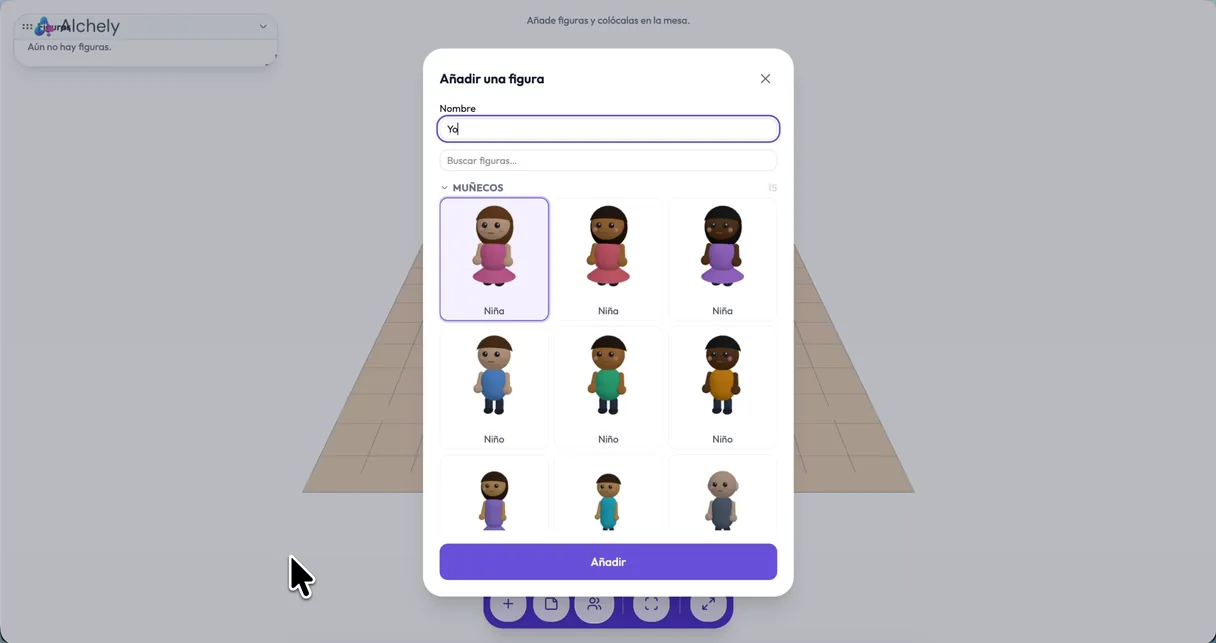
The board opens with a catalogue ready to use: girl, boy, woman, man, grandfather, grandmother, pregnant, ancestor, helper, authority, the excluded one. And the objects that in constellation work weigh as much as the people — the house, the tree, the stone, the chair, money, the wall, the door, the bridge, the bed, the book, the clock. Plus a ghost, a blob and monsters, for what the client cannot name yet.

When none of them fits, you open the character editor and build the one that is missing: head, eyes, eyebrows, nose, hair, facial hair, top and bottom, shoes, glasses, hat and earrings, each part with its own colour, and the height set to taste. The figure is saved to your catalogue and is there again in any session, with any client.
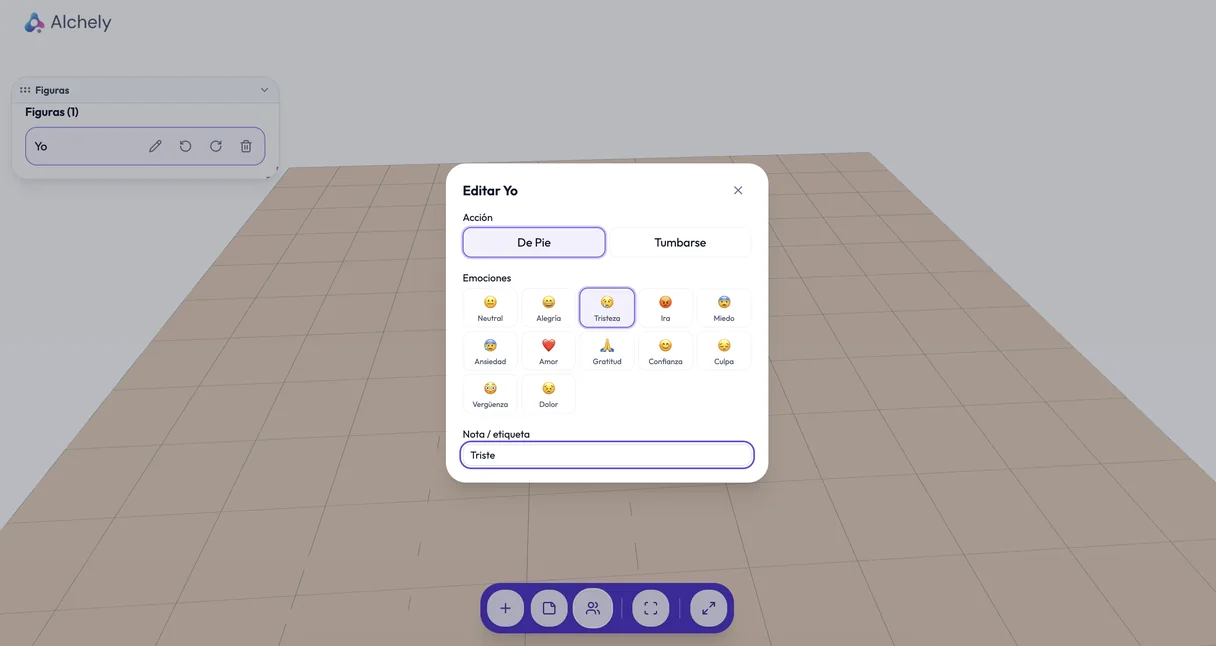
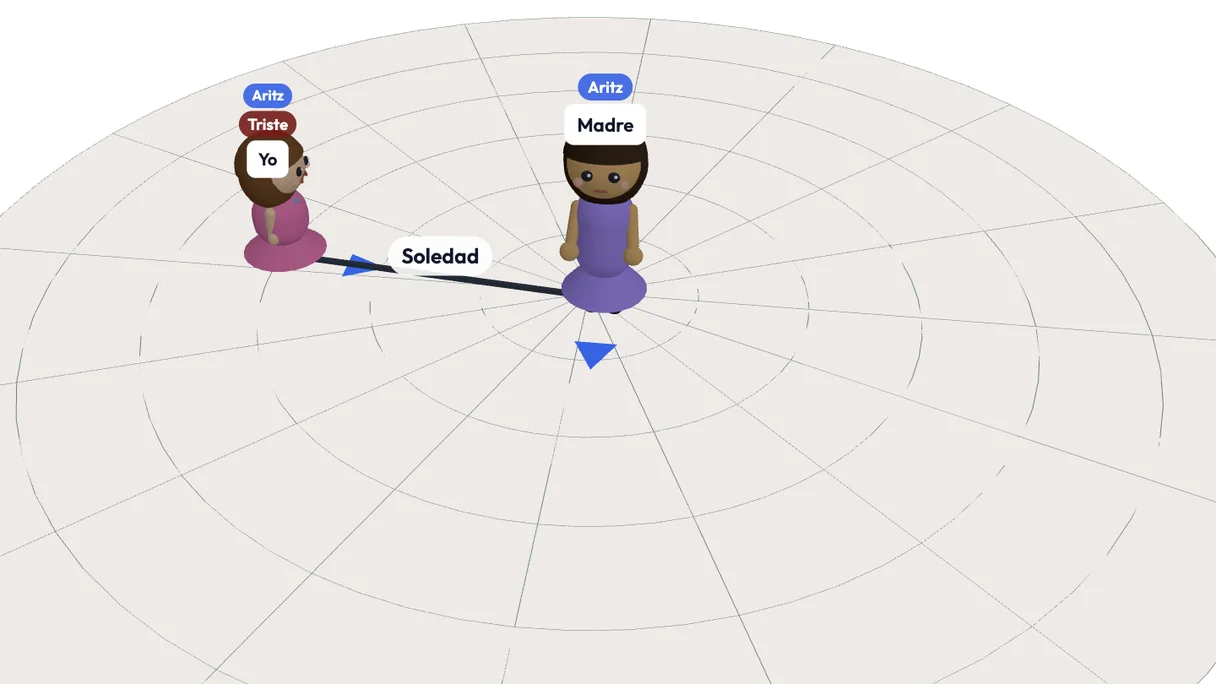
Figure edit dialog: standing or lying action, the twelve emotions and the note or tag field
Emotions

Twelve emotions, one per figure, changed at any moment

Each figure carries its expression, and you change it without taking it off the field. This is not decoration: whether the mother stands in gratitude or in shame changes the reading of the very same position, and being able to move it in front of the client turns your hunch into something they can see too.

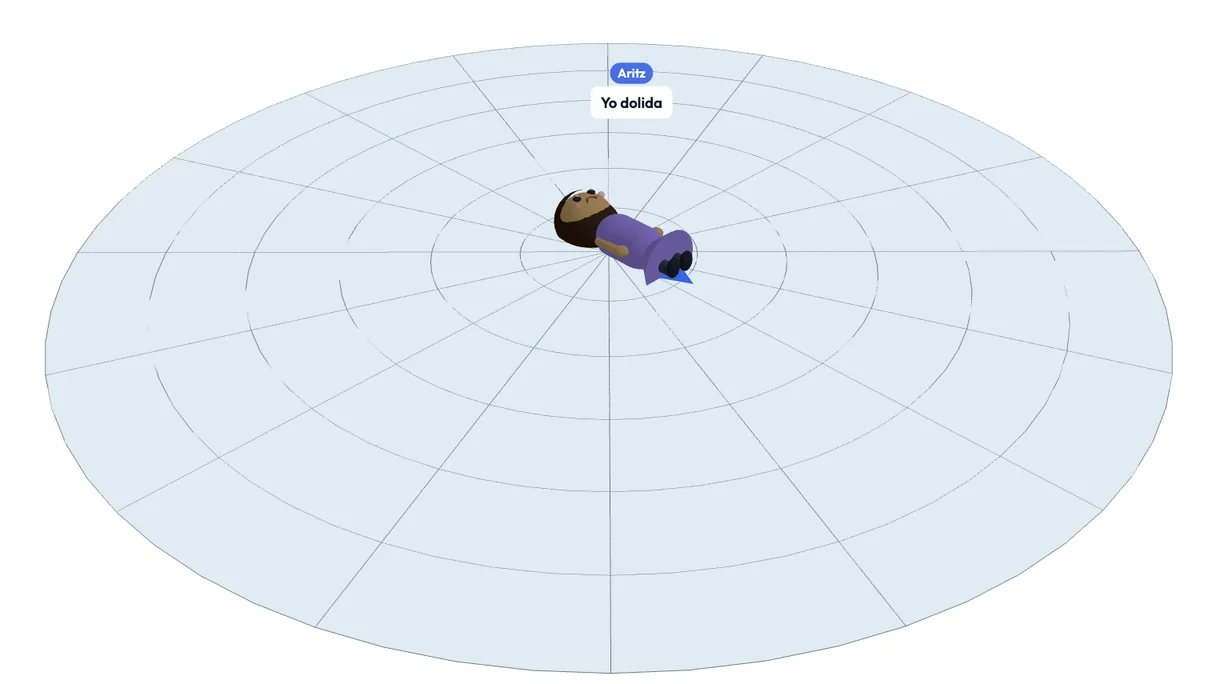
The range is the one systemic work actually names, not a sheet of emoji: neutral, joy, sadness, rage, fear, anxiety, love, gratitude, trust, guilt, shame and pain. Posture counts as well: a figure can stand or lie down, which is how someone who is no longer here is usually represented.

Two board figures joined by a link labelled
Links

Draw the link between two figures and give it a name

You pick one figure, you pick another, and a line stays between them. You give it a label — "debt", "loyalty", "the unsaid" — a colour out of six and a weight out of three. A thin grey link does not say what a thick red one says, and that difference reads at a glance once the field already carries twelve figures.

Links are part of the board state, not a drawing on the side: they are saved with the scene, they show up in the snapshot, and they are still there next session, under the name you both gave them the day they appeared.

A board with a circular floor in pale blue and a figure lying down, tagged
The base

The floor, square or circle, in whatever colour suits the work

The base of the field changes while you work. Square orders it and gives you axes: some readings lean on front and behind, on left and right. Circular takes the corners away and leaves relative position as the only reference, which is how much of the classic method works.

Floor colour adjusts too, to lower the contrast in a long session or to tell one piece of work from another at a glance. And if you always start the same way, you save shape and colour as your defaults: every new board opens like that, untouched.

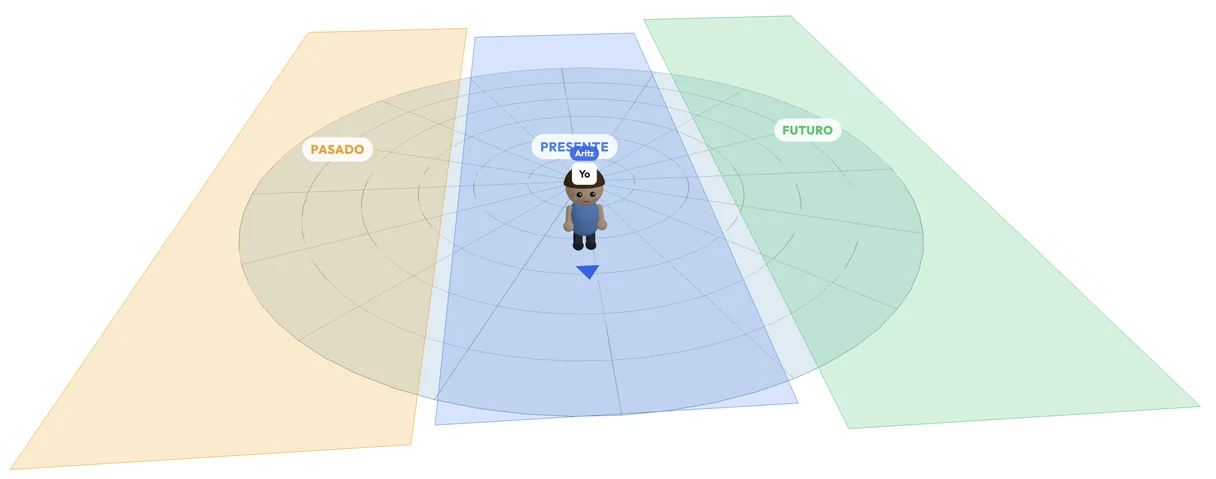
Three delimited areas on the floor — Pasado, Presente and Futuro — with a figure standing inside the present one
Notes and areas

What the field does not say on its own, written on top of it

Three layers of text, each in its place. The tag attached to a figure — "deceased", "absent", "never met" — which travels with it wherever you move it. Loose notes, dropped anywhere on the board so a client's sentence stays where it happened. And your session notes in the side panel, saved to the record when you close.

On the floor you can mark out areas: past, present and future; family of origin and current system; inside and outside. Each with its name, shape, size and colour. A figure placed inside an area is already saying something before anyone opens their mouth.

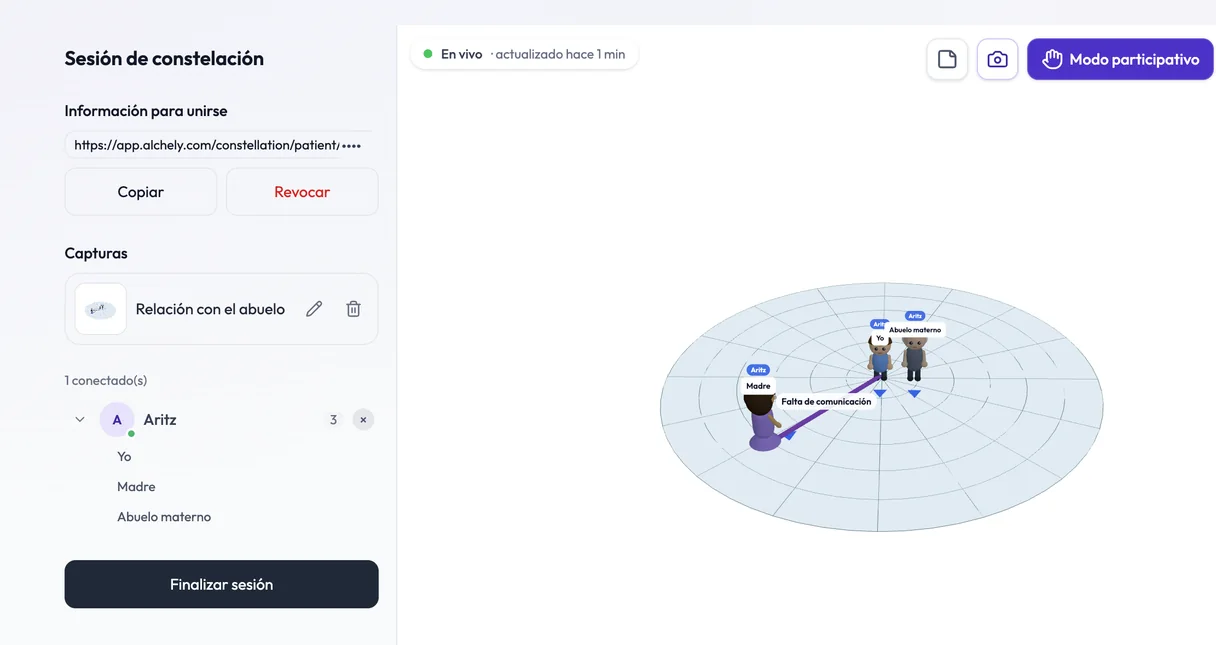
Constellation session panel showing the saved snapshot
Snapshots

Take a snapshot of the field and keep it in the session

At any moment you capture the board exactly as it stands. The snapshot is named, renamed and deleted, and it is stored inside the session — not in your downloads folder, not in a chat, not on the desktop.

This is what turns a constellation into clinical material you can revisit: the layout at minute twenty and the one at minute fifty, side by side, with your notes next to them. When you close the session, snapshots and notes stay in the client's record alongside the rest of their history.

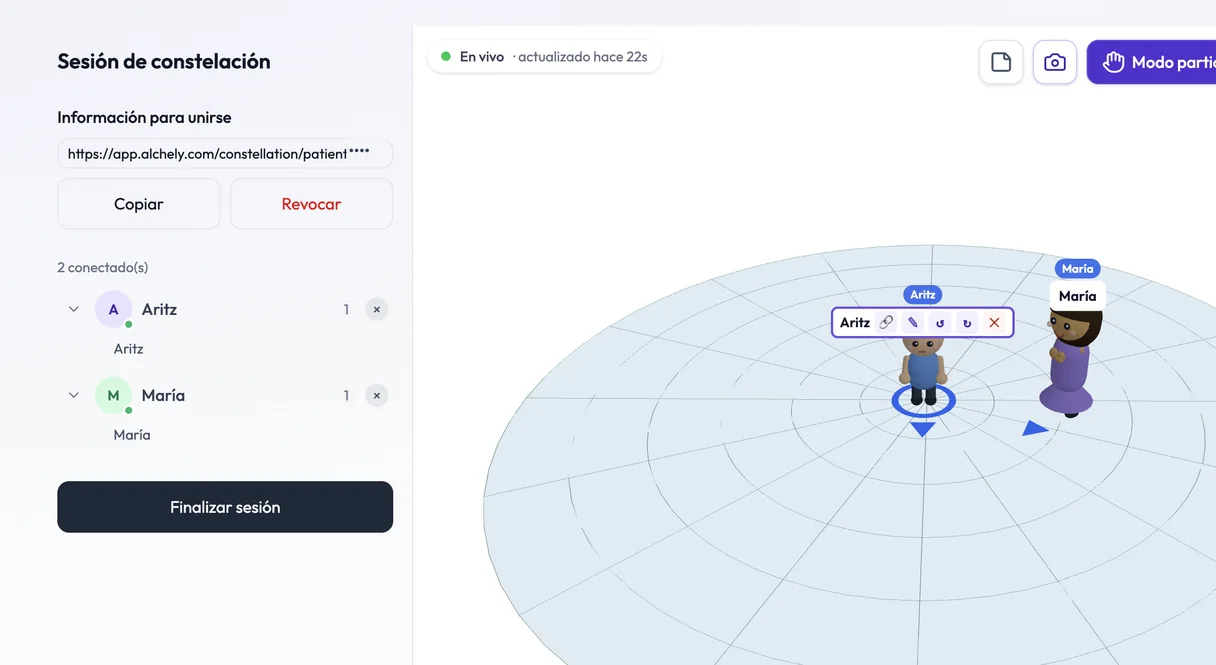
Participants panel with Aritz and María connected at once, each with their own figure and name above it on the board
Live

The client places, you watch — and nobody moves what is not theirs

You share a one-time link. The client enters with no account, types their name and works from their own device: nothing to install, nothing to register. Every move appears on the other side in real time, and you decide whether you are watching or taking part with figures of your own.

Every figure has an owner. The client moves theirs and cannot touch anyone else's; you can move all of them and reassign ownership when needed. In couples or group work, the participants panel tells you who is connected, which figures each one placed, and lets you remove someone from the room.

Why use it

What the session gains when the constellation is saved

In the room, the layout comes apart the moment you pick the figures up. Over video it never gets to exist at all. Everything the method draws from relative position stays in the therapist's memory, and degrades the way any memory degrades.

The layout stops being a memory

The layout is stored as what it is: data. You reopen it, compare it with the one from two months ago and look at it again with a cool head — none of which you can do with figures on a table.

The client works with their hands

Placing the figure yourself is not the same as telling the therapist where to put it. The link gives that hand back without asking for an account, a password or an install: they open it, type their name and place.

The session leaves a clinical record

Snapshots and notes land in the client's record, next to the rest of their history. No exporting, no stray folders on the desktop, no messaging yourself photos so as not to lose them.

Long work accumulates

The next session starts where the last one ended. A six-month process stops being rebuilt from memory every time, and the movement between one scene and the next becomes visible — which is usually where the progress is.

No room, no materials, no distance

No figures to buy, no space to book. A client eight hundred kilometres away works the same field as one who lives on your street, and the session no longer depends on anyone travelling.

It works the same for couples and groups

A session with your client, one with both members of a couple, one with a group in your practice, or an open board with several participants coming in through the same link. Each with their own figures and their name above them.

Frequently asked questions

Can family constellations really be done online?

Yes. What video takes away is not the field, it is the spatial layout: with no table and no figures, relative position — which is where the method draws its information from — stays in the therapist's head. A shared 3D board gives that dimension back, and it also stores it, which the table never did.

What does my client need in order to join?

A browser and the link you send. They create no account, install nothing and give no data beyond the name they want to appear under. The link is one-time and you can revoke it whenever you like; ending the session revokes it by itself.

Can I work with couples or groups?

Yes. There are four kinds of board: individual, couple, group and open. The group one is for a group in your practice — three to twenty of your clients — and is filed with it; the open one takes as many participants as you like and is tied to no record. In all of them every figure has an owner: each participant moves their own, you can move them all.

Is the constellation kept from one session to the next?

Yes, in two ways. The board keeps its state, so you can reopen it exactly as it was left. And you can save the field as a named scene, to restore in another session, with another client, or as a template for a kind of work you repeat. If you work in a centre, you can also save it for the centre: every therapist there sees it and can load it, and only whoever made it or the centre's administration can change it.

Where do the snapshots and notes end up?

In the session, which lives in the client's record next to the rest of their history. There is no download to manage and no folder to keep tidy. You can name, rename and delete each snapshot, and all of it is covered by the data export and erasure the GDPR requires you to be able to perform.

Do I need a particular plan to use it?

Constellation is one of the Plus tools, adopted from the catalogue whenever you want it and dropped the same way. What you already produced — snapshots, notes, scenes — stays readable even if you later stop using the tool.

Do I need to know 3D, or a powerful computer?

No. You drag with a mouse or a finger, and it runs in any modern browser with graphics acceleration, including the one on your client's phone or tablet. There is a fullscreen immersive view and a button to frame the whole board when you lose your bearings.

Runs on the same platform as everything else

Add Systemic & Family Constellations to your practice whenever you're ready — no separate account, no separate patient list.

Try it in your practice