What does my patient need?
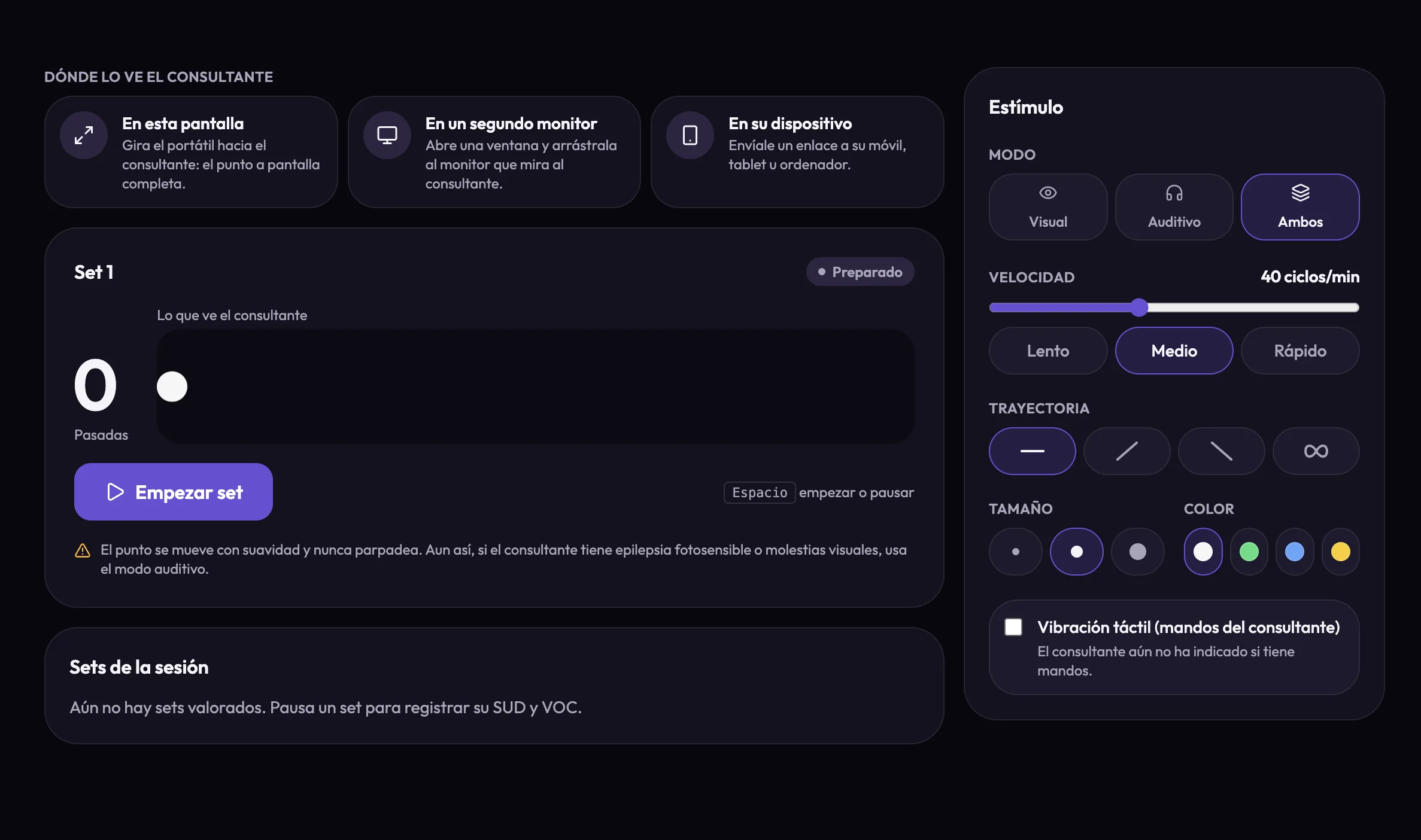
A browser. For the tones, headphones: the left and right are the whole point, and their screen asks for them. For vibration, a game controller with rumble connected to a computer or an Android device, in Chrome or Edge — one in each hand, or a single one held in both. If the browser blocks sound until it is touched, which Safari does, their screen offers an Enable sound button.
Does my patient need an account?
In a call they join AlchelyMeeting as they always do. With the board's link, no: no account, no camera and no microphone. They open it on their phone, tablet or computer and you keep talking by phone or on any other platform. The link only works on the session's day, and stops working if the session is cancelled.
Does it work with Zoom, Google Meet or Teams?
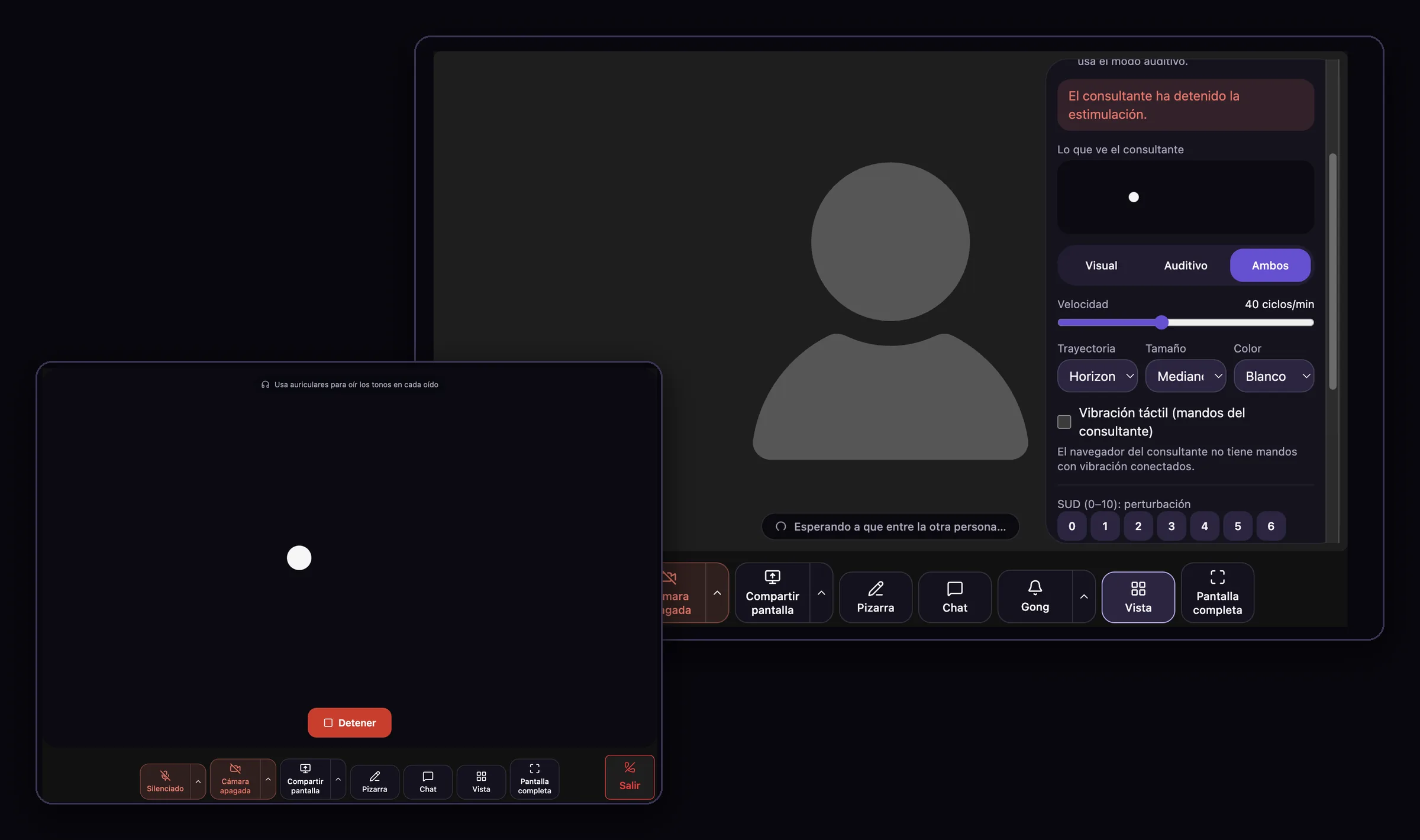
The panel beside the video exists only in AlchelyMeeting, where Alchely carries the settings itself. But the board's link works alongside any call: you talk on the platform you use, and your patient follows the dot from the link on their own device. A start or a stop takes up to about a second to reach them that way.
Can my patient stop the stimulation?
Always: with the Stop button on their screen or the Escape key. The set pauses on your side at the passes it had reached, and you are told the patient stopped it. If the board stops reaching their device for a few seconds, the set is taken down there too, so a stimulus is never left running without anyone in control of it.
Is it safe for patients who are sensitive to light?
The dot moves smoothly, slowing into each edge, and never flashes or changes brightness. The speed is capped at 70 cycles a minute, well below the flash rates photosensitivity guidance warns about. Your panel shows a notice before the first set, and if the patient has photosensitive epilepsy or visual discomfort, auditory mode runs the set with the tones alone. Whether to use it with a given patient is your clinical judgement.
What is recorded about each set?
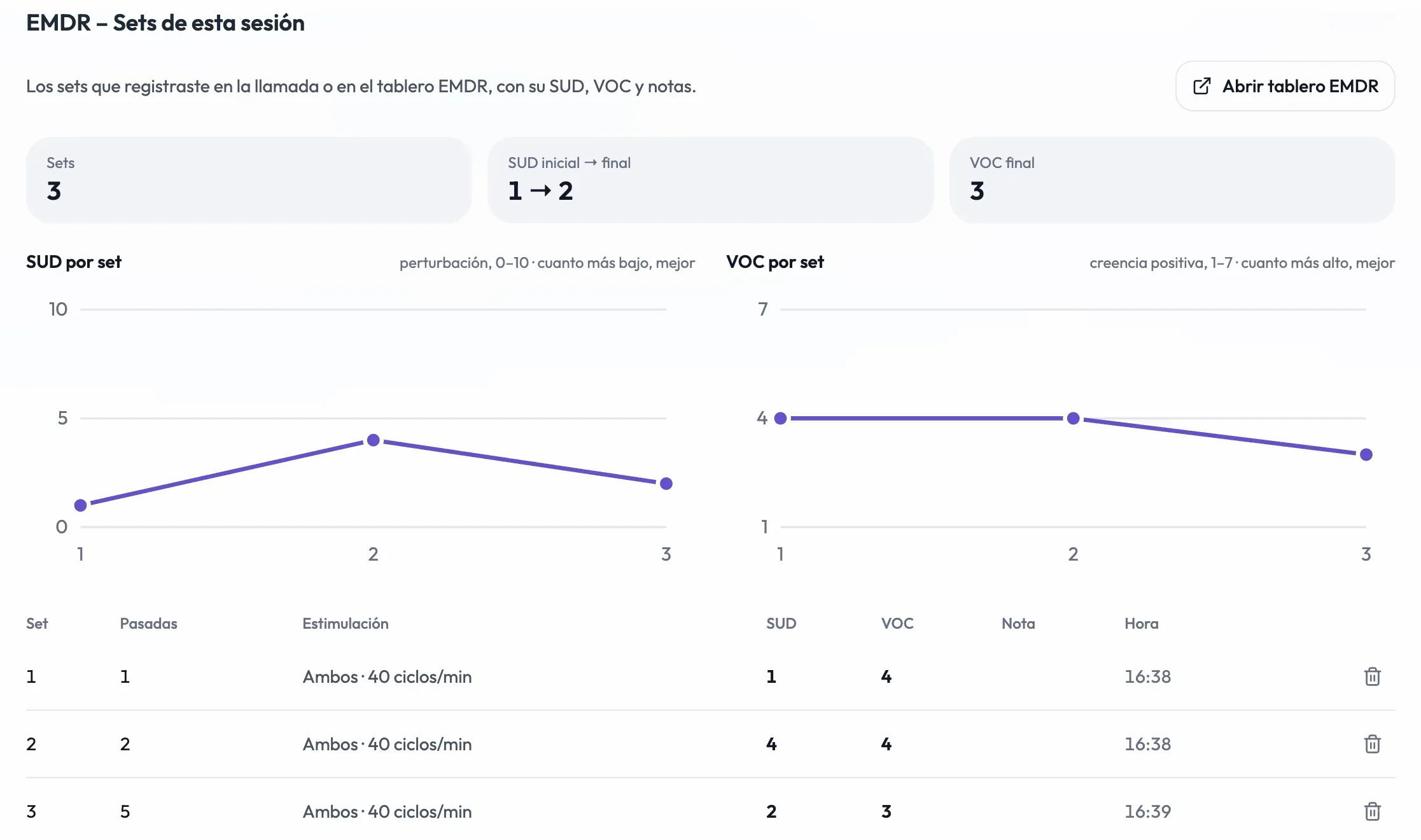
Its number, the passes, the speed, the mode and whether vibration was on; the SUD and VOC if you marked them; and a short note if you wrote one. Only on individual sessions, and only once you have adopted the tool. The records belong to the session: erasing the session or the patient erases them.
Does AI see my sets?
Only if you have adopted Augmented Memory. Then, when a note is drafted or reformatted, the session's sets are added to the model's context as the authoritative SUD and VOC, with your notes anonymised. Without that adoption, or if Alchely cannot confirm it, nothing about the sets reaches any model. Don't write names or anything that identifies anyone in a set's note.
Can my patient get their data?
Yes. Your export of a patient lists each individual session's sets in full. The export a patient makes from their own portal lists the SUD and VOC of each set, without your notes.
Do I need a particular plan to use it?
EMDR is one of the Plus plan's tools, included at no extra cost, and it is in beta. You adopt it from the catalogue whenever you want and remove it the same way. Once adopted it appears in the AlchelyMeeting tools panel, in a session's tools, and in the docks on your home screen and on each individual patient's record.