Online scheduling for therapists
Stop settling times over WhatsApp. Your diary, inside Alchely. You publish the hours you work, book a session in three clicks, and the video link, the patient's email and the event in your calendar all happen on their own. Your patients can book themselves, on your free slots, without seeing anything else in your diary.
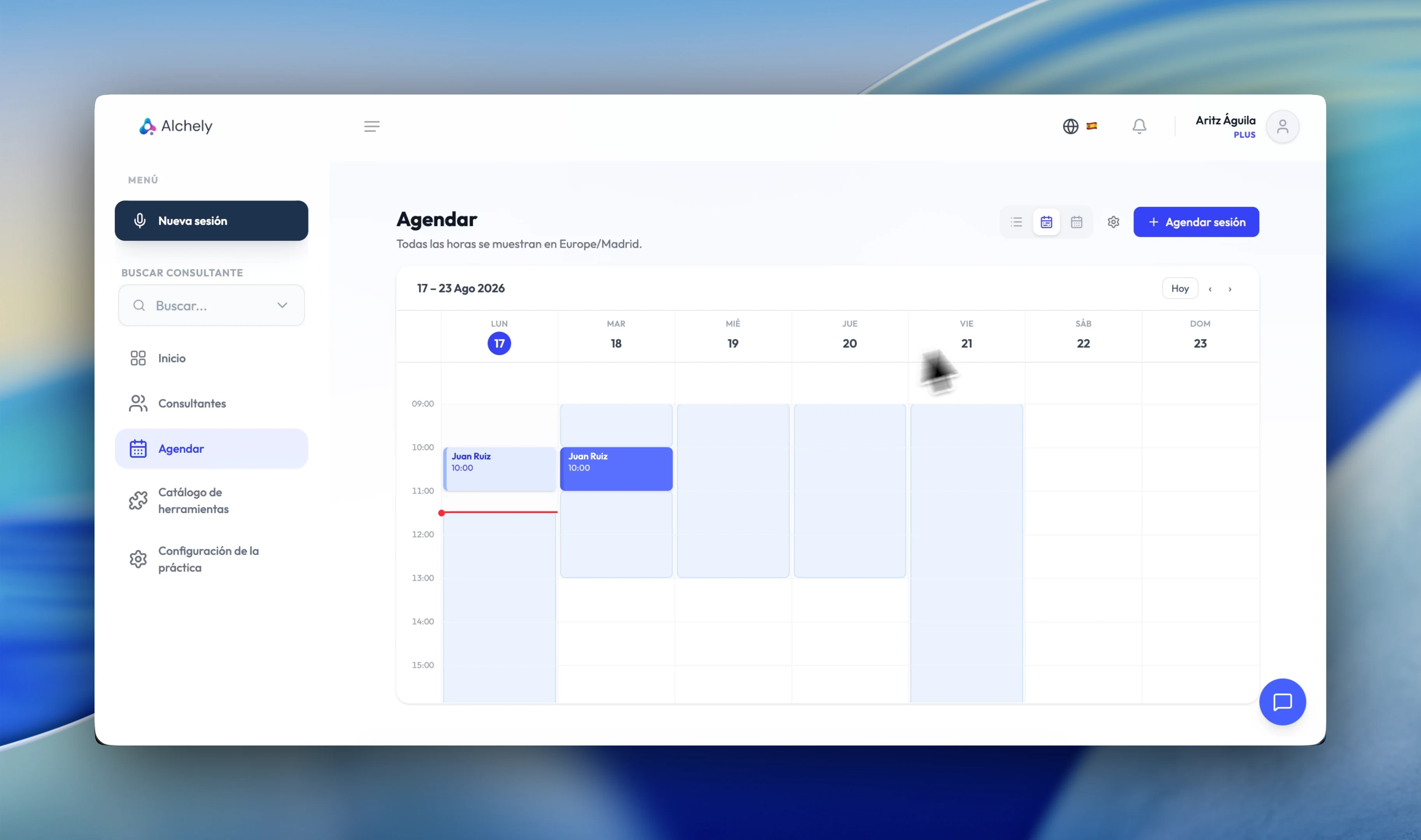
Set up your diary
A short walkthrough of the therapist's side: setting your availability, booking a session, and seeing what gets generated for you.
Your availability, in blocks
For each day you set the blocks of time you work — morning and afternoon with the break in between, if that is how you work.
- Several blocks a day, with whatever break you need between them
- Switch a block off without deleting it, for one particular week
- The practice's time zone as the single reference, daylight saving included
- Default session length: it sets the size of the slots on offer
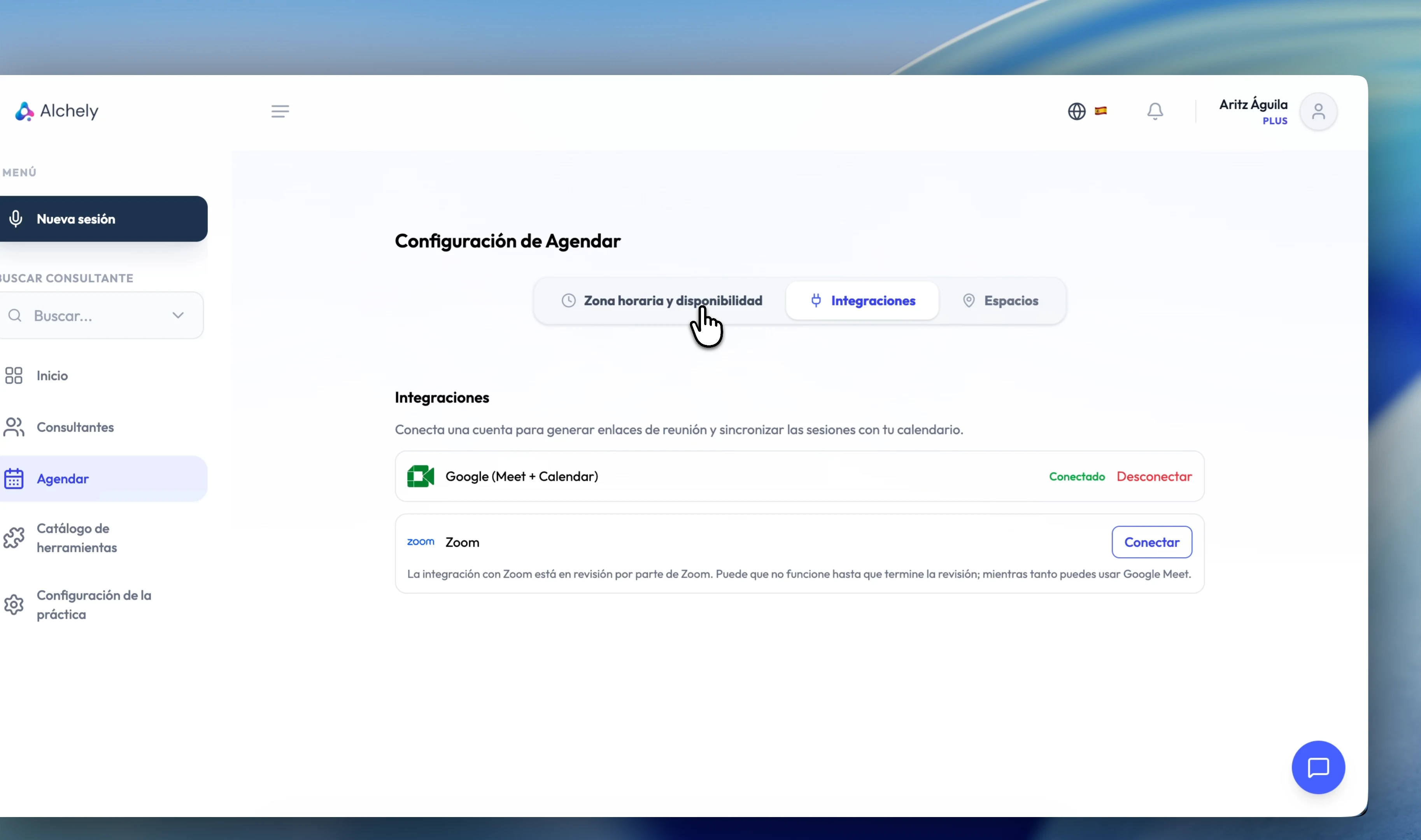
Online sessions, with the link in the invitation
You connect Zoom, Google or Microsoft Teams once and, when you book an online session, the link is created for you. It shows up on the session and in the confirmation email everyone receives.
- Zoom and Google Meet, connected in one click from Integrations
- A single Google permission covers both Meet and calendar sync
- Microsoft Teams Beta: the meeting is created in your Outlook calendar, and moves or goes away if you change the session
- You can also use AlchelyMeeting and stay inside Alchely
- Sessions already booked keep their link: the meeting lives in Zoom, Google or Microsoft
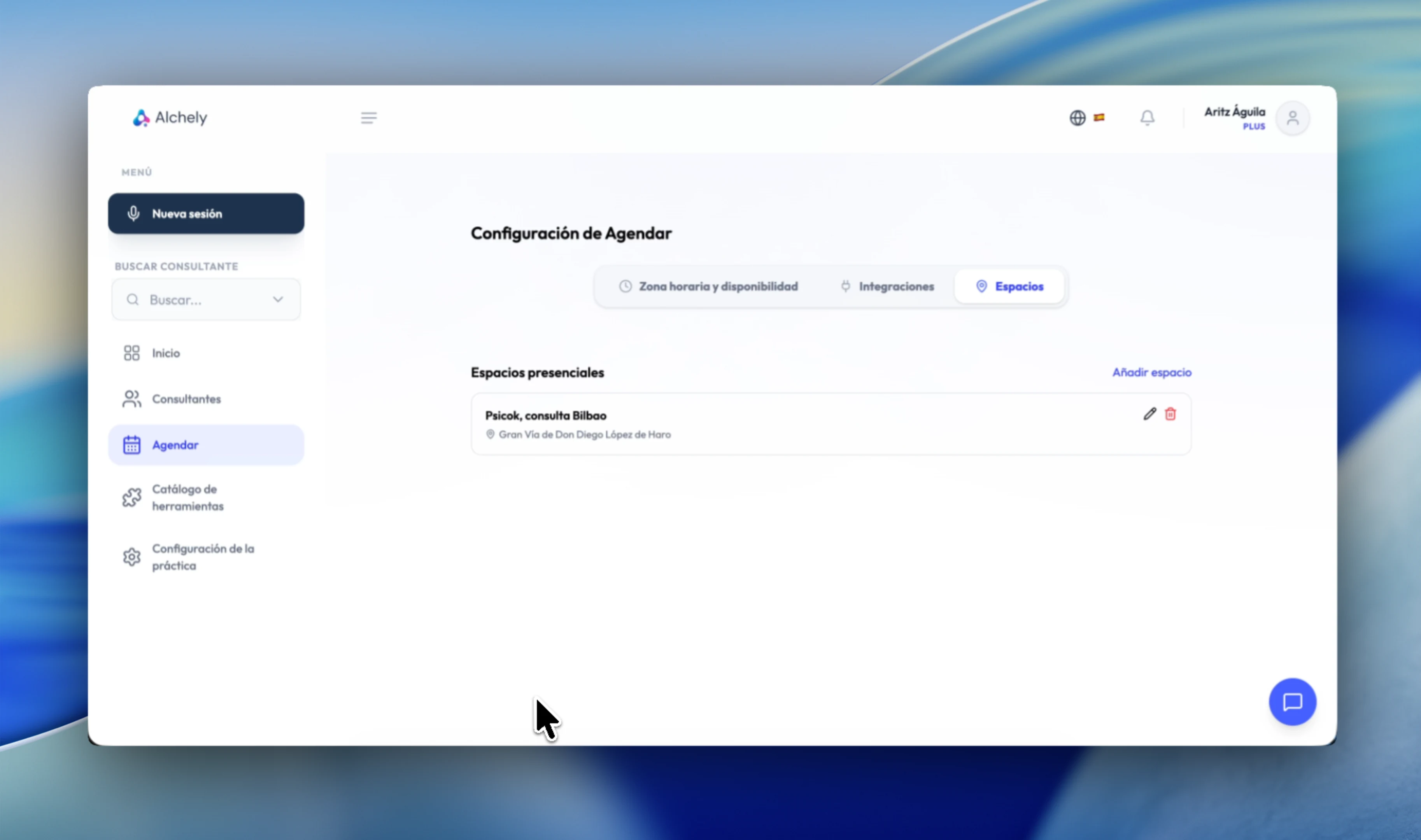
And if you see people in person
You save your physical spaces once — name, address and notes — and pick one when booking. The address and the notes travel in the patient's email, so that is where the directions that actually matter belong: the floor, the buzzer, where to park.
- Several saved spaces, each with its directions for getting there
- Past sessions keep their record even if the space is later removed
How your patient books
What your patient sees from their portal: your free slots, the booking, and the confirmation email.
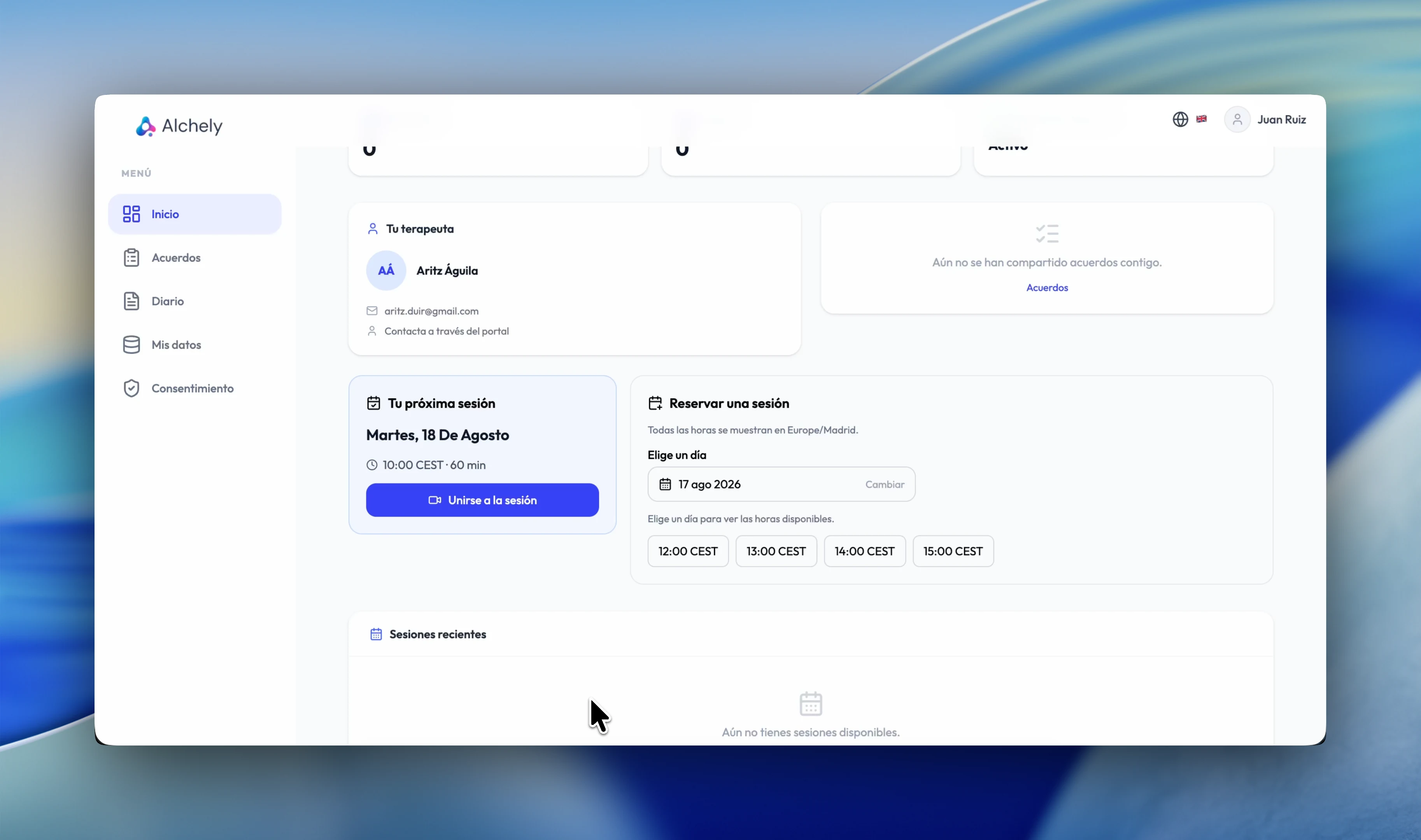
Let them book
Turn it on and your patients pick a slot from their portal, without going through you. No more back and forth just to settle on an hour.
- Only your free slots, worked out from your availability
- Alchely picks the platform, not the patient: Meet if you have Google, Zoom if Zoom is all you have, in person if you have neither
- A patient can only book with you, their therapist
- They can never book a couples or group session: that commits other people, and it is your call
- Switch it off whenever you like, and you are the only one booking again
What happens after a booking
Booking is the start of it. What comes after — telling people, syncing, rescheduling, cancelling — is where the time actually goes, and that is the part Scheduler takes off you.
One email per person
A booking, a change and a cancellation each generate one email for you and one for every patient, never together, so nobody sees anyone else's address. A couples session sends three; a group session sends one per member, reading “Group session” and naming nobody else.
Each hour in its own zone
The email is written in its reader's timezone, not in yours. And where the two differ, it adds a line with the other person's hour, saying whose it is.
In your calendar
With Google connected, every session lands in your calendar with the patient invited. Without it, you still get the .ics invitation by email. A group session's event is called “Group therapy” and invites nobody: each member gets their own invitation by email, without seeing who else is coming.
Rescheduling and cancelling
Changing the time updates the same event instead of creating another. Cancelling removes it. Either way, the patient is told automatically.
On WhatsApp too
The booking, the time change, the cancellation and the reminder can reach your patient on WhatsApp. You choose the channel for each notice. For privacy, WhatsApp only reaches those who accepted it in their portal; everyone else gets the email, and your copy always goes by email.
- Both