Session transcription and analysis
A marketplace tool that sits on top of your practice: pattern synthesis, longitudinal tracking, and decision support, drawn from every session you run. Add it to your Therapist Dashboard whenever you're ready for deeper analysis.
Longitudinal Perspective
Standard therapy software focuses on individual sessions. Augmented Memory focuses on the connection between them, identifying themes that develop across months of therapy, helping you see the "big picture" of your patient's evolution.
Try it yourselfFrom the session to the notes, without writing them
Before anything can be analysed it has to be captured. Augmented Memory picks up what happened in the room by whichever route you already use — and if you use none, you keep writing or dictating your notes as always.
Video-call capture
Record the Zoom, Google Meet or Teams tab while you sit with the patient. When you hang up, the notes write themselves.
AlchelyMeeting
Hold the session inside Alchely and it records itself and turns into notes, with no extra step.
Zoom AI Companion
When Zoom finishes its meeting summary it reaches Alchely and creates the session draft, tied to the booking you already had.
Google Meet and Teams
The same with the Meet transcript, and with the Microsoft Teams one Beta: as soon as it is ready, the draft appears on the right session.
Audio notes
A live recording of an in-person session, or audio you already had: it is transcribed and analysed just the same.
Image notes
A photo of your handwritten notes. Alchely reads them, turns them into text and leaves them ready to analyse.
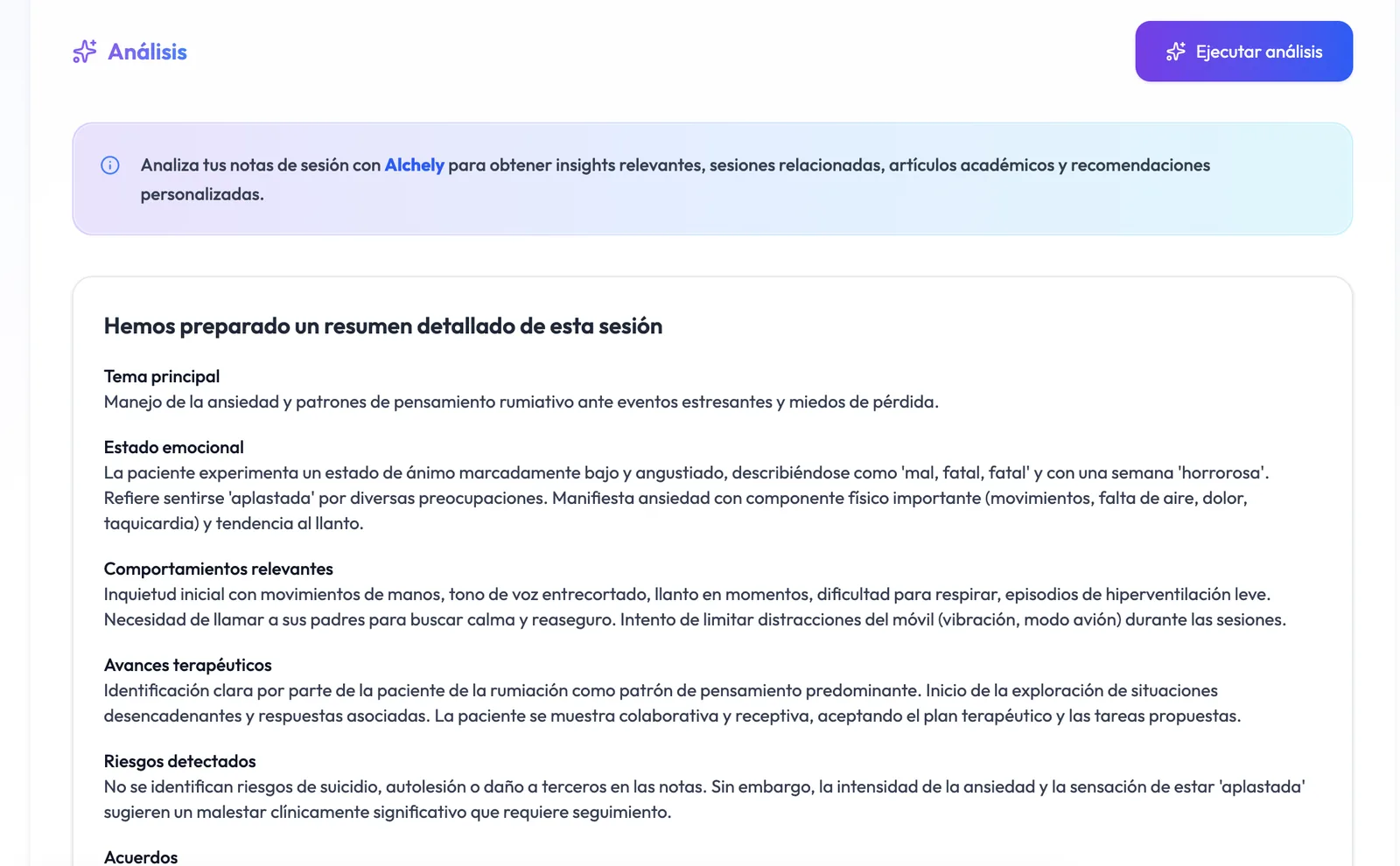
Intelligent Session Analysis
Augmented Memory automatically analyzes every session to extract structured clinical data, empowering you to focus on the core therapeutic work. It does not read the session alone: it also reads the ones before it and the therapeutic plan it sits in. And it writes in your approach's concepts and language: without diagnostic language if you work from a humanistic, transpersonal or psychodynamic approach, and with risks always named plainly.
-
Structured Clinical Summary
Get a synthesis of main themes, emotional status, relevant behaviors, therapeutic progress, and agreements.
-
Evolution and Next Session
Each analysis reads the three analysed sessions before it and the therapeutic plan the session sits in: what has shifted since, what to watch, what to take to the next session, and a feedback draft you add to the plan. Resting on the words in your notes, with no better-or-worse verdict.
-
Technical Suggestions
Receive recommendations for techniques and interventions from your own approach to apply in your upcoming sessions, with up to three techniques from your Therapeutic techniques catalogues. The ones you don't have yet you add to your library, with a description Augmented Memory proposes and you review.
-
Highlights
Select any fragment of the notes and save it as a highlight. They collect in the patient's file, ready to re-read at a glance.
-
Couples and groups
A group session gets its own analysis, with a notes structure made for groups, and every voice in the transcript is a numbered participant. Recommendations, Chat and highlights are filed with the couple or the group, not with one of its members.
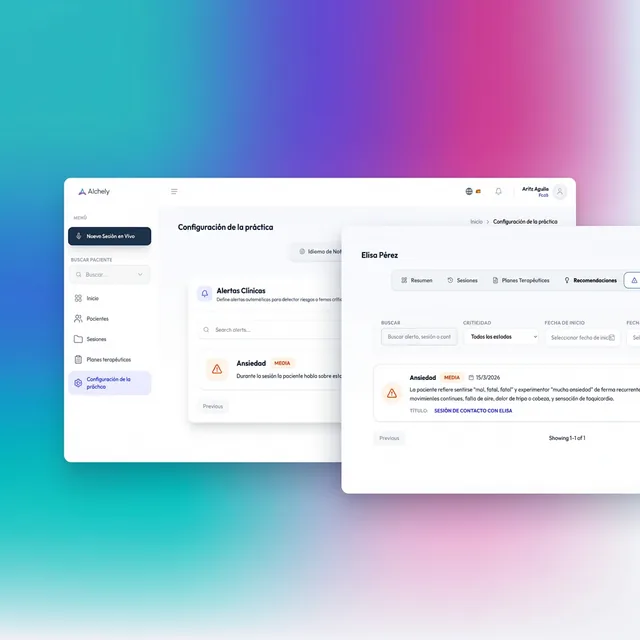
Personalized Therapy Alerts
Define and receive intelligent notifications about the most relevant themes, risks, or milestones in your clinical practice.
-
Critical Topic Detection
Automatically identify specific patterns and keywords that require your immediate attention during the patient's evolution.
-
Custom Configuration
Create your own alert rules based on your methodology, specialty, and specific therapeutic goals.
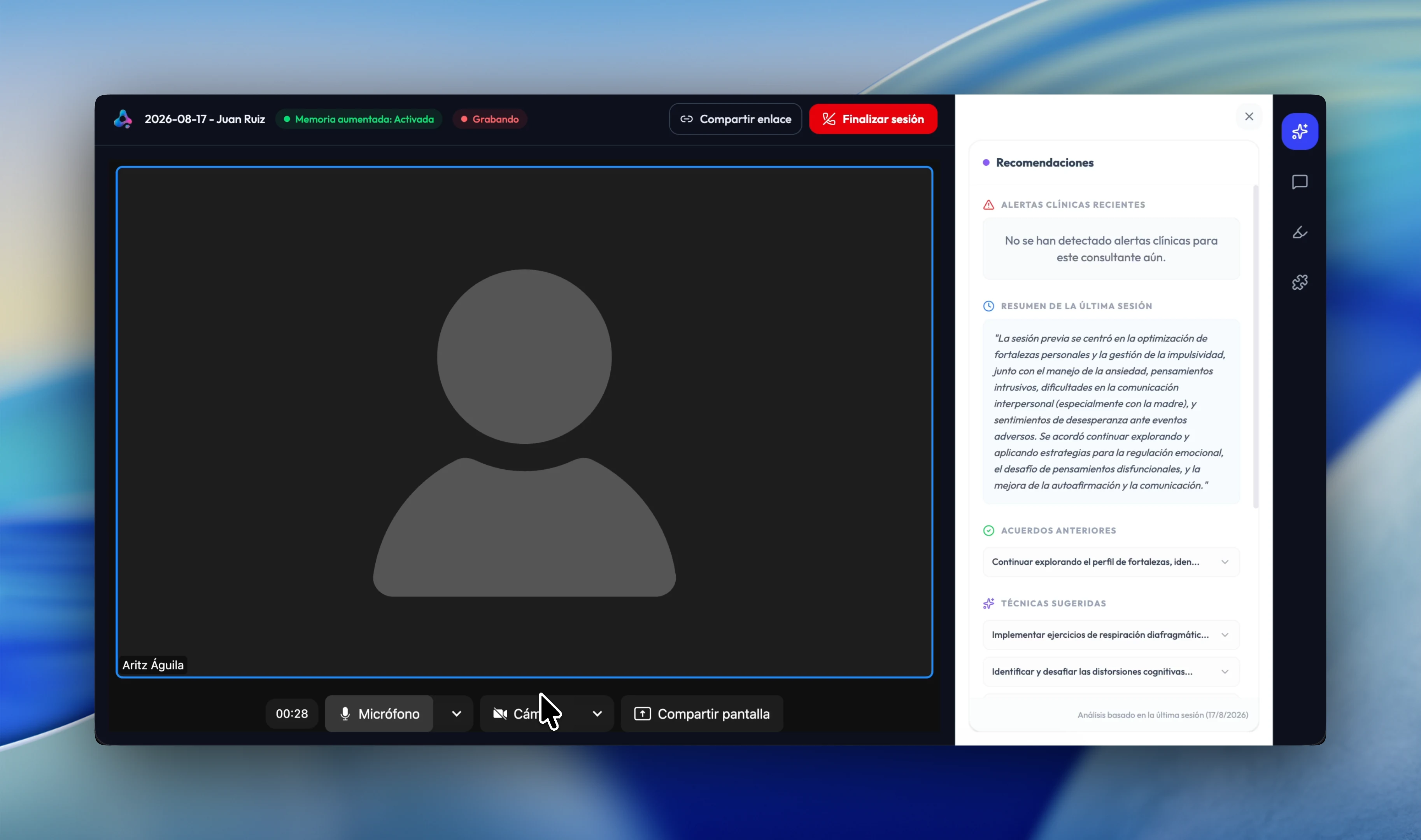
Intelligent Session Preparation
Arrive at every session with full context. Augmented Memory synthesizes longitudinal evolution to provide a clear roadmap before you even begin.
-
Therapeutic Continuity
Instantly review the last session summary and reached agreements to pick up the thread effortlessly.
-
Data-Driven Strategy
Receive suggestions for specific techniques and insights into recurring themes that define the patient's progress.
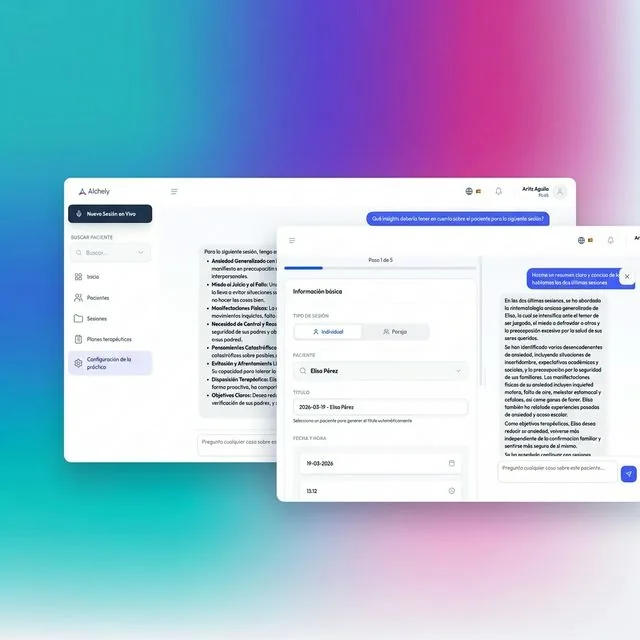
Alchely Chat
Consult, reflect, and go deeper. Alchely Chat understands your patients' history and helps you make better therapeutic decisions.
-
Contextualized Conversation
Ask questions about your patients' progress and get answers grounded in real history: their sessions, with each analysis's evolution, risks and what is left for next time, and their therapeutic plan.
-
Decision Support
Explore therapeutic approaches, resolve clinical questions, and receive evidence-based guidance in real time.
-
No Names to the Model
Before the model is asked, the chat anonymises the notes, the plan, the diary, the agreements, the highlights and your own question in one pass, so a name gets the same pseudonym across all of them.
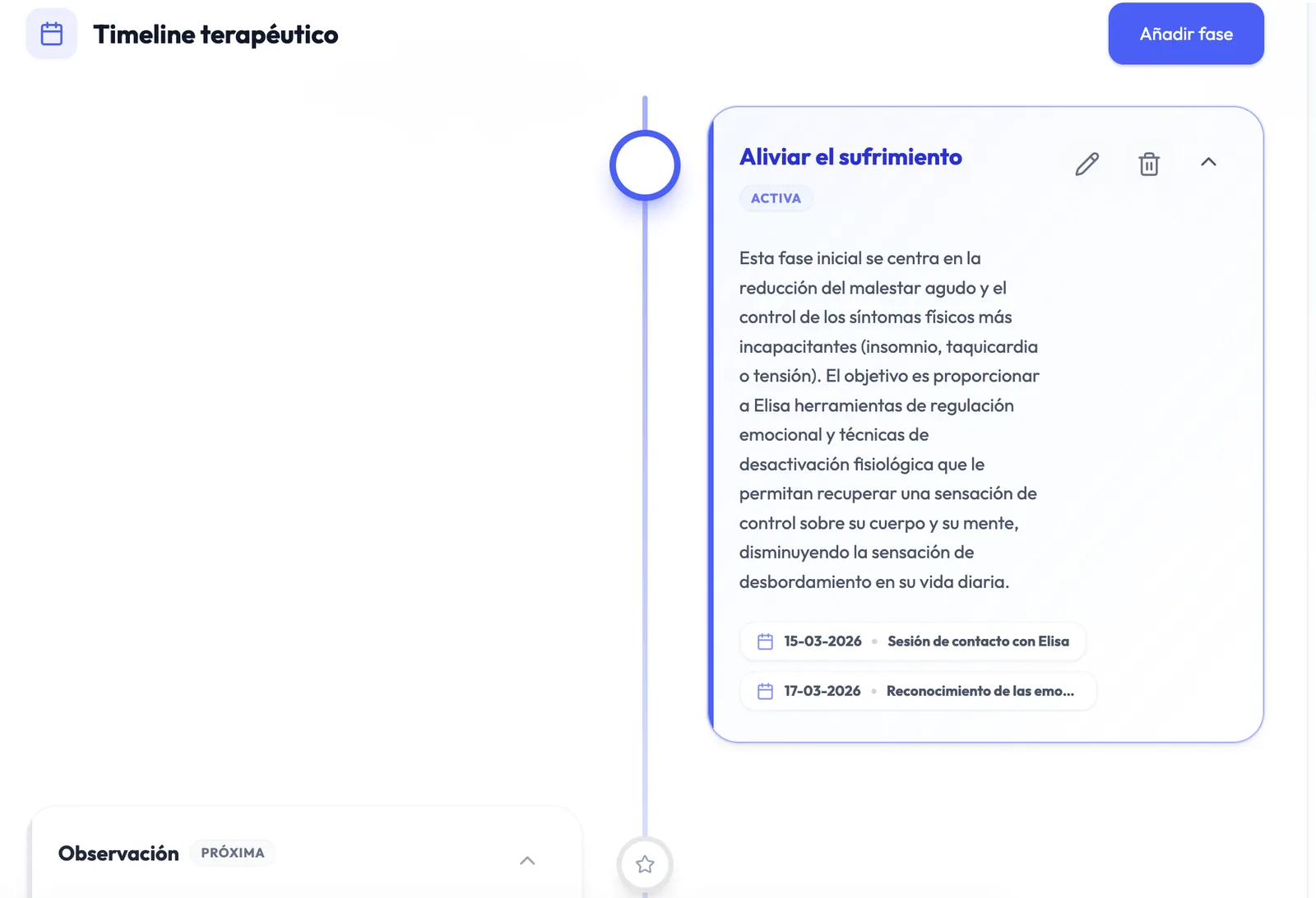
Dynamic Therapeutic Plans
Each patient's plan, laid out on a roadmap: stages in time, focuses with their objectives and indicators, and feedbacks at their session. The plan comes with Plus; Augmented Memory reads it with you.
-
Structure Plan
From the context, the feedbacks and the sessions, it proposes stages, focuses, objectives and indicators shaped by the plan's template, each with its reason. Nothing enters the plan until you accept it.
-
Indicator Suggestions
After a session is analysed, it suggests how the indicators of the focuses worked in it have moved. A score only when your notes write it.
-
Plan Review
It first works out where the plan stands — pace, stages, scales, objectives with no readings — and then reads it: what to watch, what to take to the next session, recommendations added to the roadmap in one click, and closure criteria. How it works
Runs on top of your Therapist Dashboard
Augmented Memory reads from the sessions and notes you already capture — no separate workflow, no extra data entry.
- The patient's consent is built into the agreements flow: nothing is analysed unless your patient has accepted it, and a couples or group session unless every one of them has
- It extends your memory, it does not replace your judgement: nothing here decides for you
- If you ever remove the tool, the analyses and alerts you already generated stay readable
- Writing or dictating your notes, uploading audio or a photo of your notes always works, with or without the tool